ERP data sync is where AI automation stops being cute and starts touching the books.
A no-code workflow that moves a Slack alert or updates a staging field is one thing. A workflow that creates vendors, updates customer records, syncs invoices, changes product mappings, posts billing data, or feeds AI agents with finance context is a different animal. The wrong automation does not merely create a messy dashboard. It creates reconciliation work, close delays, audit questions, and very tense finance meetings.
Short answer
Use no-code AI automation for ERP data sync when the workflow is narrow, the objects are standard, the rules are deterministic, the connector exposes the right fields, and the blast radius of a wrong update is small. Native ERP tools, Zapier, Make, Workato, Celigo, Boomi, MuleSoft, and similar platforms can cover a lot when finance and IT have clear ownership.
Use custom AI automation when the sync needs judgment, cross-system source-of-truth rules, controlled write-back, human approvals, audit logs, rollback, exception queues, or AI decisions around financial records. If the workflow touches customers, vendors, invoices, payments, orders, revenue, tax, subsidiaries, or close data, do not let AI behave like a cheerful intern with admin credentials.
This guide pairs with our ERP data sync automation tools comparison, ERP data sync automation partner guide, API integrations platform guide, best API integration partners for AI automation projects, how to connect AI agents to CRM and ERP workflows, and how to document data access requirements for AI workflows.
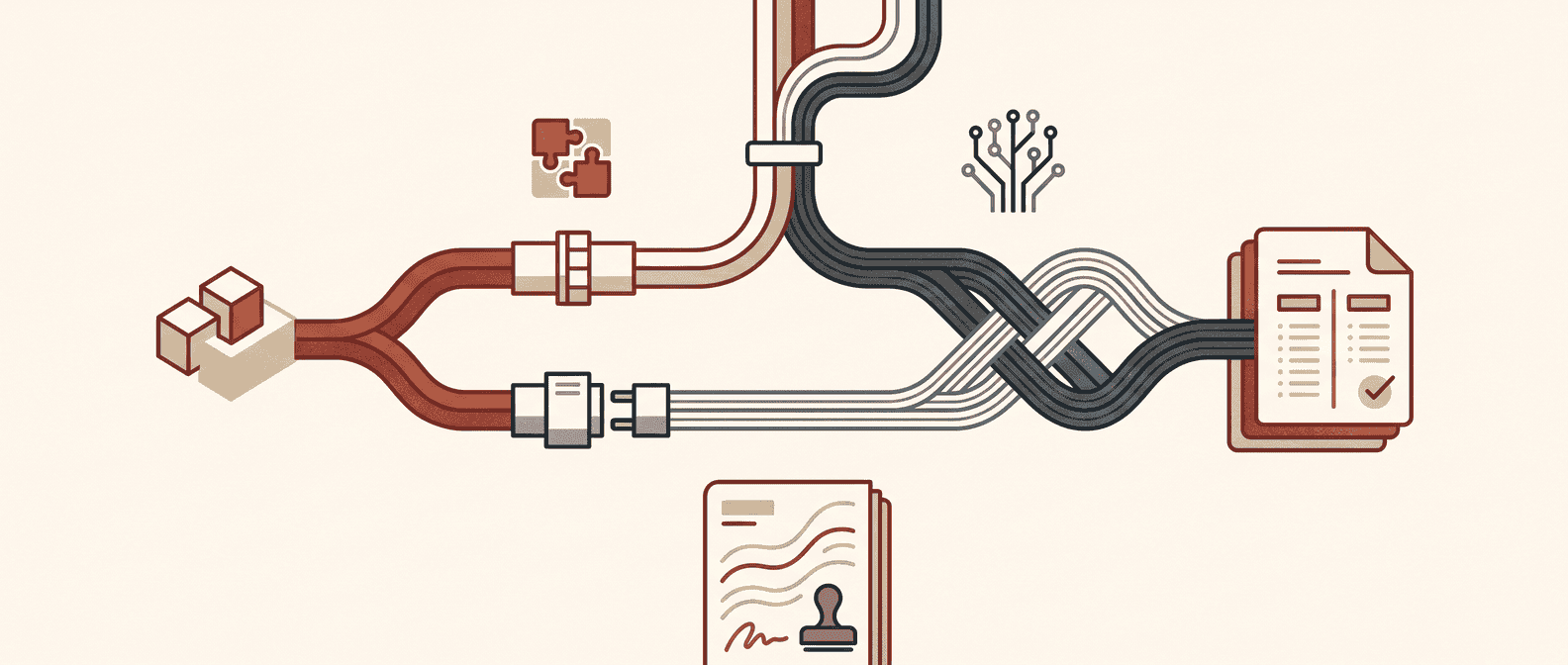
No-code vs custom AI automation for ERP sync: comparison table
Use this table before buying another connector, asking engineering for a script, or letting a no-code workflow write directly into the ERP.
| Decision area | No-code AI automation | Custom AI automation | Red Brick Labs recommendation |
|---|---|---|---|
| Best fit | Standard syncs, simple alerts, low-risk field updates, staged review queues, and connector-supported workflows | Finance-critical workflows with source-of-truth conflicts, approval logic, exception handling, and controlled write-back | Use no-code for find, stage, alert, and route; use custom where finance risk and accountability matter |
| Typical tools | Native ERP workflows, Zapier, Make, Workato, Celigo, Boomi, MuleSoft, SAP Integration Suite, Dynamics dual-write, NetSuite SuiteCloud paths | API services, queues, workers, validation layers, AI scoring, review UI, audit store, deployment pipeline, rollback scripts | Do not custom-build what a governed platform already does well |
| Speed to pilot | Days to a few weeks | Two to six weeks for a scoped production pilot, depending on access and controls | Start with one workflow, not "sync finance" as a moon landing |
| Cost profile | Lower upfront cost; can climb through tasks, credits, platform seats, connector tiers, and manual exception work | Higher upfront cost; often better control and unit economics at scale | Compare total operating cost, not just subscription price |
| Sync direction | One-way or simple bidirectional sync when objects are supported | Bidirectional sync with conflict resolution, staging, approvals, retries, and rollback | Bidirectional ERP writes need adult supervision |
| Rule complexity | Deterministic mappings, simple filters, standard records, safe notifications | Fuzzy matching, survivorship rules, multi-system precedence, AI evidence packets, finance controls | If the rule needs a whiteboard and a controller, no-code may become fragile |
| AI role | Extract, classify, summarize, format, suggest, enrich, or route to review | Score confidence, assemble evidence, recommend action, detect anomalies, trigger governed writes | AI should recommend before it is allowed to update important records |
| Governance | Good when platform ownership is clear; weak when workflows accumulate across admins and tools | Stronger testing, permissions, logs, approvals, release control, monitoring, and rollback if built properly | Treat ERP sync like production infrastructure, because it is |
| Auditability | Platform logs, ERP history, and workflow run records, often scattered | Centralized input/output snapshots, reviewer actions, model metadata, old values, new values, and rollback path | Auditability is not a feature you add after the first bad update |
| Human review | Basic approval steps, manual tasks, Slack alerts, email reviews, or ERP queues | Risk-tiered review queue with evidence, proposed action, confidence, SLA, and owner | Humans stay in the loop for ambiguous matches and financial writes |
| Failure mode | Silent drift, broken mappings, duplicate workflows, task limits, connector gaps, stale credentials | Overbuilt architecture, unclear ownership, slow iteration, insufficient finance handoff | The failure you can see and reverse is usually the better failure |
| Team ownership | Finance ops, RevOps, ERP admin, or business systems team can often maintain it | Finance owns policy; technical owner owns deployment and monitoring; operators own exceptions | The handoff plan matters as much as the first build |
Direct answer: no-code wins when the sync is obvious, supported, and low-risk. Custom wins when the workflow needs judgment, approvals, audit evidence, rollback, and durable ownership.
Why ERP data sync is a different automation problem
ERP sync is not the same as moving marketing leads between tools. Finance systems carry accounting context, posting behavior, subsidiaries, tax treatment, approvals, line items, dimensions, payment state, and audit expectations.
The connector may say "NetSuite," "SAP," "Dynamics," or "QuickBooks." That does not mean the workflow is ready.
ERP sync decisions usually hide questions like:
- Which system owns customer creation: CRM, ERP, billing, or support?
- Which object is the source of truth for product, price, tax, entity, and department?
- What happens when Salesforce says the customer name changed but NetSuite has an open invoice?
- Can the automation create a vendor, or only stage a vendor for approval?
- Is the sync allowed to update posted transactions?
- Who reviews exceptions during close week?
- How do we reverse a bad batch?
- What data can an AI agent read, suggest, or write?
That is why the no-code-versus-custom debate is usually framed badly. The issue is not whether no-code is "serious enough" or custom is "more powerful." The issue is whether the workflow needs finance-grade control.
What no-code ERP sync is actually good at
No-code and low-code tools are useful when the workflow is well-bounded.
Zapier's NetSuite integration page positions NetSuite as connectable to thousands of apps for workflow automation. Make publishes NetSuite automation guidance around no-code empowerment and prebuilt connectors. Workato, Celigo, Boomi, MuleSoft, SAP Integration Suite, and Microsoft Dynamics dual-write all sit in the broader landscape of governed integration and automation patterns. NetSuite itself exposes SuiteCloud integration options including SuiteTalk REST and SOAP web services, CSV import, high-volume data pipeline paths, custom REST endpoints, and related integration tooling.
That is real capability. It just needs the right job.
No-code or platform-led ERP sync is a strong fit for:
- sending alerts when ERP records meet a condition;
- creating review tasks for finance operations;
- syncing safe staging fields from CRM to ERP;
- routing invoice exceptions to the right owner;
- moving non-sensitive ERP data into a spreadsheet or table for review;
- creating Slack or email notifications for failed syncs;
- enriching draft customer or vendor records before human approval;
- triggering a workflow when a Salesforce opportunity closes;
- pushing approved data into a supported NetSuite, Dynamics, SAP, or QuickBooks flow;
- replicating ERP data to reporting or data workflows when no operational write-back is needed.
The key phrase is safe staging. No-code is strongest when it finds problems, prepares context, routes exceptions, and handles deterministic updates. It is weaker when the workflow needs complex conflict resolution or high-risk writes.
Where no-code ERP sync starts to crack
No-code gets dangerous when it becomes the hidden system of record.
Common cracks:
- Connector depth: the connector exposes the headline object but not the field history, custom object, line item, subsidiary, attachment, saved search, approval state, or merge behavior the workflow needs.
- Source-of-truth conflicts: CRM, ERP, billing, procurement, warehouse, and support systems all claim partial ownership of the same customer, vendor, order, or product.
- Approval ambiguity: the workflow can write a field, but finance has not decided who must approve the write.
- Weak exception handling: failed records sit in a platform log instead of an owned queue.
- Close calendar risk: a sync that is fine on the 12th is not fine during month-end close.
- Volume economics: per-task pricing, API limits, retries, enrichment credits, and reprocessing can make "cheap" workflows surprisingly expensive.
- No rollback: the team can see that the workflow ran but cannot restore old values cleanly.
- Scattered logic: the source-of-truth policy lives across recipes, zaps, ERP workflows, spreadsheet formulas, and someone's memory.
- AI overreach: a model classifies or recommends an update, and the workflow writes it without deterministic checks or human approval.
The most expensive failure is not a workflow that breaks loudly. It is a workflow that keeps running and quietly makes finance data less trustworthy.
What custom AI automation is actually for
Custom AI automation should not be the default. It is not a status symbol. It is a control layer for workflows that cannot safely be handled as simple connector logic.
A custom ERP sync system can:
- Pull records from ERP, CRM, billing, procurement, AP, data warehouse, documents, and spreadsheets.
- Normalize records into a consistent schema.
- Run deterministic checks before any AI step.
- Use AI to classify, extract, match, summarize, or prepare evidence.
- Score confidence and separate low-risk from high-risk changes.
- Route risky updates to a human review queue.
- Write approved changes through least-privilege service accounts.
- Log old values, new values, inputs, outputs, reviewer actions, model metadata, and timestamps.
- Retry failed jobs safely.
- Alert finance owners when exceptions age or error rates spike.
- Roll back bad changes by object, field, and batch.
That is the job. Not "AI syncs ERP." Not "agent updates finance records." A controlled workflow where AI helps with judgment-heavy prep and humans keep authority over risky writes.
Use custom AI automation when ERP sync includes:
- CRM-to-ERP customer, account, product, price, or order handoffs;
- vendor onboarding with tax, banking, duplicate, compliance, and approval checks;
- invoice, payment, credit memo, refund, or collections workflows;
- procurement and purchase-order workflows;
- subscription, usage, billing, or revenue recognition data;
- multi-entity, subsidiary, department, location, class, or project dimensions;
- AI extraction from contracts, invoices, emails, PDFs, or spreadsheets;
- write-back into ERP records after an AI recommendation;
- reconciliation across ERP, CRM, billing, warehouse, and payment processors;
- exception queues that must survive audits and close periods.
If the workflow touches money, legal entities, customer commitments, or audit evidence, build the control plane before you automate the write.
The practical risk bands
Split the sync into risk bands before choosing no-code or custom.
| Risk band | ERP sync examples | Best automation approach |
|---|---|---|
| Low risk | Slack alerts, email notifications, read-only exports, dashboard refreshes, missing-field reminders | No-code or native workflow automation is usually enough |
| Medium risk | Staging CRM updates for ERP review, drafting vendor records, enrichment into non-production fields, exception routing | No-code with review, owner policy, test runs, and clear failure handling |
| High risk | Customer creation, vendor creation, order sync, invoice coding suggestions, product or price updates, bidirectional CRM-ERP sync | Governed iPaaS or custom automation with approvals, monitoring, and rollback |
| Critical risk | Payments, posted transactions, revenue recognition, tax, bank details, legal entity, subsidiary rules, close adjustments | Custom workflow with human approval, least privilege, audit logs, and rollback |
This keeps the decision from becoming religious. The answer is usually mixed: no-code for low-risk workflow movement, custom for high-risk finance decisions.
When no-code is the right call
Choose no-code or platform-led automation when the answer to most of these is yes:
- The sync uses standard ERP and CRM objects.
- The connector exposes the fields, triggers, and actions you need.
- The workflow can be tested safely in a sandbox or staging environment.
- The sync can stage changes before writing them.
- The rule is deterministic and business-owned.
- A wrong update would be annoying, not financially dangerous.
- The finance owner can inspect failed runs without a developer.
- The platform logs are good enough for the risk level.
- There is a clear owner for maintenance.
- The workflow can be paused quickly during close or an incident.
Example: when an opportunity closes in Salesforce, create a finance review task, pull account details into a staging table, check required fields, notify the finance owner, and prepare a draft customer update for NetSuite review. That is a sensible no-code pilot.
When custom is the right call
Choose custom AI automation when these are true:
- The workflow spans ERP, CRM, billing, procurement, data warehouse, documents, and internal tools.
- Multiple systems can update the same field or object.
- AI has to reason over messy evidence before suggesting a change.
- The workflow needs confidence thresholds and risk-based routing.
- Writes require approvals, role separation, and audit evidence.
- The system must support batch replay, rollback, and old-value snapshots.
- Exceptions need owners, SLAs, escalation, and operational reporting.
- The sync affects close, revenue, tax, payments, customer commitments, or compliance.
- The team needs lower marginal cost or more flexibility than task-based platforms allow.
- The business cannot tolerate silent drift.
Example: an AI workflow extracts billing terms from a contract, compares them with CRM opportunity data and NetSuite customer records, proposes subscription and invoice setup changes, routes conflicts to finance and legal, then writes only approved updates with a full audit trail. That is not a casual no-code workflow.
The first pilot Red Brick Labs would build
For a finance operations team, the safest first pilot is an ERP sync audit and controlled review queue.
Build this before letting AI write to ERP records:
- Map systems and objects. ERP, CRM, billing, procurement, AP, warehouse, spreadsheet, document storage, support, and data tools.
- Define source of truth. For each object and field, decide which system wins and when exceptions override the rule.
- Classify sync direction. Read-only, one-way, staged write, approved write, or bidirectional sync.
- Find brittle points. Failed syncs, duplicate records, missing fields, stale owners, conflicting names, bad dimensions, and manual reconciliation.
- Build the review queue. Show record, source evidence, proposed change, old value, new value, confidence, owner, risk band, and approval action.
- Automate low-risk fixes. Alerts, staging, deterministic formatting, missing-field tasks, and read-only reporting.
- Gate high-risk writes. Human review, least-privilege API access, logs, rollback, and monitoring.
- Measure impact. Manual touches removed, exception backlog, failed sync rate, time to resolve, close impact, rework avoided, and owner satisfaction.
That pilot tells you whether the team needs no-code, iPaaS, native ERP integration, custom AI automation, or a hybrid. It also prevents the dumbest possible procurement move: buying the tool before understanding the workflow.
Evaluation checklist for no-code ERP sync
Ask these before building in Zapier, Make, Workato, Celigo, Boomi, MuleSoft, SAP Integration Suite, Dynamics dual-write, NetSuite SuiteCloud tooling, or any similar platform:
- Does the connector expose the exact records, child records, line items, custom fields, dimensions, and approval states we need?
- Can we test the workflow against realistic historical records before production writes?
- Can we stage changes instead of writing immediately?
- Can finance inspect failures without becoming a platform admin?
- Can the workflow preserve old values and source evidence?
- Can we pause the workflow during close?
- What happens on rate limits, partial writes, retries, duplicate runs, and stale credentials?
- How are permissions scoped?
- What data leaves the ERP, where is it processed, and how long is it retained?
- Does pricing still work at expected volume?
- Who owns the workflow after launch?
No-code is a great answer when the workflow stays legible. Once it becomes a nest of hidden business rules, the team has not avoided engineering. It has disguised it.
Evaluation checklist for custom AI automation
Ask these before custom work starts:
- What exact decision will AI make, and what decisions stay deterministic?
- Which ERP records can the system read, stage, update, or never touch?
- What confidence score sends an item to human review?
- What evidence does a reviewer need to approve a change?
- How are prompts, inputs, outputs, model versions, reviewer actions, and writebacks logged?
- How do we prevent duplicate jobs, race conditions, and partial writes?
- What is the rollback plan by object, field, and batch?
- How do rules change without shipping a new engineering project every week?
- Who owns monitoring, incidents, and failed sync cleanup?
- How will finance know the automation is saving time rather than moving work into another queue?
Custom should make the workflow more explainable, not more mysterious.
Backlink asset: no-code vs custom ERP sync scorecard
This article's reusable asset is the comparison table above. Turn it into a one-page worksheet with these scoring columns:
| Criterion | Weight | No-code score | Custom score | Notes |
|---|---|---|---|---|
| Rule clarity | 15% | Are sync decisions deterministic or judgment-heavy? | ||
| ERP object complexity | 15% | Are records standard, custom, line-item heavy, or multi-entity? | ||
| Write-back risk | 15% | What happens if the automation updates the wrong record? | ||
| Cross-system dependency | 15% | Does the sync depend on CRM, billing, procurement, warehouse, or documents? | ||
| Audit and rollback | 15% | Can the team explain and reverse changes? | ||
| Finance ownership | 10% | Can finance inspect exceptions and own policy? | ||
| Volume economics | 10% | Do task, credit, API, and support costs scale cleanly? | ||
| Time to pilot | 5% | How quickly can a safe pilot launch? |
Decision rule:
- If no-code scores higher and write-back risk is low or medium, ship a no-code pilot.
- If custom scores higher and write-back risk is high or critical, build the governed workflow.
- If the scores are close, start no-code for read-only audit and staging, then custom-build only the approval and write-back layer.
Visual and screenshot requirements
This article needs one hero image and one comparison-table asset.
| Asset | File path | Purpose |
|---|---|---|
| Hero image | /blog/images/no-code-vs-custom-ai-automation-for-erp-data-sync.png |
Blog card and article hero |
| Comparison table graphic | /blog/images/no-code-vs-custom-ai-automation-for-erp-data-sync-comparison-table.png |
Linkable worksheet preview for outreach |
| NetSuite screenshot | /blog/images/no-code-vs-custom-ai-automation-for-erp-data-sync-netsuite.png |
Public docs/product screenshot for SuiteCloud/SuiteTalk integration |
| Microsoft Dynamics screenshot | /blog/images/no-code-vs-custom-ai-automation-for-erp-data-sync-dynamics.png |
Public docs screenshot for Dynamics 365 dual-write |
| SAP screenshot | /blog/images/no-code-vs-custom-ai-automation-for-erp-data-sync-sap.png |
Public product screenshot for SAP Integration Suite |
| Zapier screenshot | /blog/images/no-code-vs-custom-ai-automation-for-erp-data-sync-zapier.png |
Public product screenshot for NetSuite no-code integrations |
| Make screenshot | /blog/images/no-code-vs-custom-ai-automation-for-erp-data-sync-make.png |
Public product/blog screenshot for NetSuite no-code automation |
| Workato/Celigo/Boomi screenshots | Tool-specific filenames using the same slug prefix | Optional supporting screenshots if this post is expanded into a platform-level comparison |
Do not hotlink third-party images. Capture public pages only, add captions near screenshots if inserted later, and avoid logged-in, gated, customer-specific, or private admin screens.
Red Brick Labs POV
Most ERP sync projects fail because teams automate the transport layer before deciding the ownership layer.
They ask, "Can this tool connect Salesforce to NetSuite?" or "Can AI update Dynamics?" Fine questions. Not first questions.
The first questions are:
- Who owns this field?
- Who approves this write?
- What happens when systems disagree?
- What does AI only suggest?
- What can it never touch?
- Where do exceptions go?
- How do we prove what happened?
- How do we reverse it?
Our recommendation is blunt:
- Use no-code and native ERP tooling to find, stage, alert, route, and handle deterministic low-risk updates.
- Use custom AI automation to reason, govern, approve, write back, monitor, and roll back when the workflow touches financial risk.
The best ERP sync architecture is not the fanciest. It is the one finance can trust during close.
Audit your ERP data sync workflow: Red Brick Labs can audit your ERP data sync workflow, separate no-code-safe automations from custom AI control points, and ship the first production pilot with source-of-truth rules, review gates, monitoring, and rollback.
CTA: audit your ERP data sync workflow
If your team is deciding between no-code ERP sync and a custom AI automation build, Red Brick Labs can help you avoid both traps: brittle workflow sprawl and unnecessary custom software.
We can map your ERP data flows, identify which sync jobs are safe for no-code, design the custom AI layer only where finance risk demands it, and ship a production pilot around the systems your team already uses.
Book a 15-minute ERP sync workflow audit
Source notes
Sources reviewed on June 17, 2026:
- NetSuite's SuiteCloud Platform Integration and Oracle NetSuite Help on SuiteTalk REST Web Services informed the discussion of native ERP integration paths, REST/SOAP services, CSV import, custom REST endpoints, and record-level API operations.
- Microsoft Learn's Dynamics 365 dual-write overview informed the bidirectional ERP/Dataverse sync discussion and the distinction between supported platform sync and broader workflow governance.
- SAP's Integration Suite informed the enterprise integration and governance framing for SAP and third-party landscapes.
- Zapier's NetSuite integrations page and Make's NetSuite automation guidance informed the no-code automation examples and the limits of connector-led workflows.
- Workato's Salesforce NetSuite integration guide and NetSuite to Salesforce Accelerator informed the lead-to-cash and CRM-to-ERP workflow examples.
- Celigo's NetSuite integrations page informed the NetSuite-centered iPaaS/prebuilt integration discussion.
- Boomi's ERP integration guide and MuleSoft's ERP integration guide informed the distinction between ERP application integration, API-led integration, and cross-system business data flow.
- NIST's AI Risk Management Framework informed the article's emphasis on governance, measurement, monitoring, risk controls, and human oversight for AI-enabled workflows. The article does not claim NIST endorses any specific ERP automation pattern.
Backlink angle
Backlink asset: No-code vs Custom ERP Data Sync Scorecard.
Pitch angle: finance operations, ERP consulting, iPaaS, RevOps, and AI automation audiences need a practical way to decide whether a sync workflow belongs in native ERP tooling, no-code automation, an iPaaS platform, or a custom AI automation layer. The scorecard is useful because it compares risk, ownership, write-back control, auditability, and total cost of ownership instead of pretending every ERP sync problem is solved by a connector logo.