CRM data cleanup is one of those projects that looks simple from a distance and political up close. Everyone agrees the CRM is messy. Nobody agrees which source should win, which duplicate should survive, which enrichment provider is trusted, which fields sales reps may override, or who gets blamed if a merge breaks routing.
That is why the real decision is not "Should we use AI?" The real decision is whether your cleanup problem can be handled with native CRM features and no-code workflows, or whether it needs custom AI automation with stronger controls.
Short answer
Use no-code AI automation for CRM data cleanup when the work is predictable: format fields, dedupe obvious records, enrich missing company data, standardize picklists, alert owners, and move low-risk exceptions into a review queue. Native Salesforce and HubSpot tools, plus platforms such as Zapier, Make, Insycle, Clay, Openprise, and Syncari, can cover a lot when the rules are clear and RevOps can own the process.
Use custom AI automation when the cleanup touches revenue-critical logic: fuzzy account matching, multi-system source-of-truth rules, lead routing, territory assignment, CRM-to-ERP sync, customer records, consent data, audit logs, rollback, or human approval workflows. In those cases, AI should not be a black-box field updater. It should be an inspected workflow with deterministic checks, confidence thresholds, review queues, and safe writebacks.
If you are still deciding which partner category should help, compare this guide with our CRM data cleanup automation partner guide, API integrations platform guide, best API integration partners for AI automation projects, and ERP data sync automation partner guide.
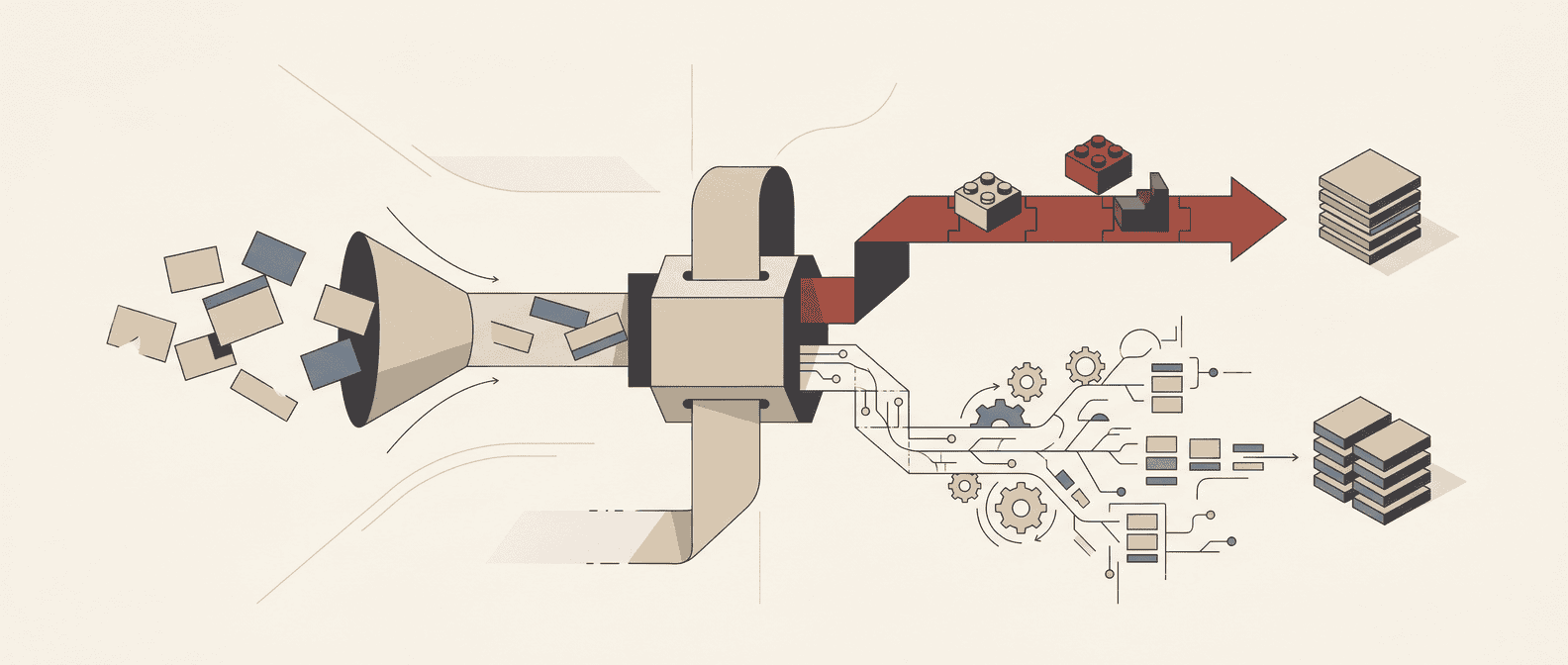
No-code vs custom AI automation: the practical comparison table
Use this table as the buyer worksheet before you buy another cleanup tool or ask engineering to "just connect the API."
| Decision area | No-code AI automation | Custom AI automation | Red Brick Labs recommendation |
|---|---|---|---|
| Best fit | Repetitive cleanup with clear rules and standard CRM objects | Cross-system cleanup with ambiguous matching, source-of-truth conflicts, and high-risk writebacks | Start no-code for low-risk hygiene; go custom where wrong updates damage revenue, finance, legal, or customer trust |
| Typical tools | Native Salesforce duplicate rules and matching rules, HubSpot data quality tools, Zapier, Make, Insycle, Clay, Openprise, Syncari | Custom services, API workers, queues, model calls, validation layers, review UI, audit logs, monitoring, rollback scripts | Do not custom-build what the CRM already does well |
| Speed to pilot | Days to a couple of weeks | Two to six weeks for a scoped pilot, depending on system access and review needs | Use a narrow pilot either way; do not start with all CRM objects |
| Cost profile | Lower upfront cost; can become expensive through task volume, add-ons, and RevOps maintenance | Higher upfront build cost; lower marginal cost and more control at scale | Compare total cost of ownership, not just subscription price |
| Rule complexity | Exact matches, required fields, formatting, simple enrichment, alerts, and scheduled reports | Fuzzy matching, survivorship rules, enrichment waterfalls, conflict resolution, custom objects, cross-system state | If you need a whiteboard to explain the rule, no-code may become fragile |
| AI role | Summarize, classify, format, enrich, draft review notes, flag likely issues | Score match confidence, prepare review packets, reason over source evidence, trigger controlled writes | AI should suggest and route before it is allowed to update important records |
| Integration depth | Strong when connectors expose the needed objects and fields | Strong when APIs, webhooks, warehouses, files, and business logic all need orchestration | Connector availability is not the same as safe integration design |
| Governance | Good for admins when ownership is clear; weak when many ad hoc workflows accumulate | Stronger access control, testing, logging, rollback, and deployment discipline if built properly | Treat cleanup automation like production infrastructure |
| Auditability | Platform logs and CRM history, but context can be scattered | Central run logs, input/output snapshots, approval records, model metadata, rollback path | Auditability matters before leadership starts trusting AI-updated CRM data |
| Human review | Simple approval steps and task queues | Risk-tiered queues with evidence, proposed action, confidence, owner, and SLA | Keep humans in the loop for ambiguous merges and sensitive fields |
| Failure mode | Silent drift, broken mappings, task limits, connector gaps, duplicated workflows | Overbuilt system, unclear ownership, insufficient tests, slow handoff | The best design is boring: small scope, strong rules, visible exceptions |
| Team ownership | RevOps or CRM admin can usually own it | RevOps owns policy; technical owner owns deployment and monitoring | Hand off a runbook either way |
Direct answer: no-code wins when the cleanup rule is obvious and the blast radius is small. Custom wins when the workflow needs judgment, evidence, controlled writes, and accountability.
Why CRM cleanup is suddenly an AI decision
CRM data quality used to be a reporting annoyance. Now it is an automation constraint.
If bad data only broke a dashboard, the fix could wait for quarter-end cleanup. If bad data feeds AI workflows, it can trigger the wrong sales follow-up, enrich the wrong company, route a lead to the wrong owner, overwrite a useful field, or create a polished summary from stale inputs.
Validity's 2025 CRM data management research reports that many CRM users still see serious accuracy and completeness issues, and a meaningful share connect poor CRM data directly to revenue loss. Dun & Bradstreet also frames B2B and CRM data decay as a persistent data-quality problem, not a one-time database cleanup. The exact number matters less than the operational pattern: CRM data gets worse unless the workflow that creates and updates records gets fixed.
That is the point most cleanup projects miss. A one-time dedupe can make a CRM look better this month. It does not prevent the same broken forms, imports, enrichment writes, sales habits, routing rules, and integrations from recreating the problem.
What no-code CRM cleanup is actually good at
No-code is not amateur hour. For many RevOps teams, it is the right first move because it is fast, visible, and maintainable by the people closest to the CRM.
Native CRM tools can handle a lot. Salesforce documents matching rules for identifying duplicate records and duplicate rules for deciding what happens when a user creates or views a potential duplicate. HubSpot's data quality tools help teams review formatting issues, duplicates, property issues, and data quality recommendations, while its weekly data quality digest can flag property and record issues such as duplicates and formatting problems.
No-code and RevOps platforms extend that base layer:
- Zapier and Make can connect CRM events to enrichment, spreadsheet, Slack, email, review, and update workflows.
- Zapier Tables can act as a lightweight no-code data store for review queues and structured workflow data.
- Insycle focuses on CRM cleansing patterns such as fixing field errors, deduplication, imports, associations, formatting, and recurring templates.
- Clay is useful for enrichment workflows, including pulling records from CRMs and using waterfall enrichment strategies before writing data back.
- Openprise positions around no-code GTM data orchestration, cleansing, deduplication, enrichment, and activation across revenue systems.
- Syncari positions around synchronizing, deduping, enriching, cleansing, and controlling data across HubSpot, Salesforce, Outreach, and other GTM systems.
No-code is strongest when the workflow looks like this:
- A record is created or updated.
- The workflow checks a small number of fields.
- The cleanup rule is deterministic.
- AI may classify, format, summarize, or enrich.
- The output goes to a safe field, task, table, or review queue.
- A human or admin can inspect what happened.
Examples:
- Format phone numbers, names, country values, and company domains.
- Flag contacts missing email, company, lifecycle stage, or owner.
- Identify obvious duplicate contacts using exact email or domain rules.
- Add enrichment to a staging field before overwriting production fields.
- Create a task when a record looks stale or incomplete.
- Send low-confidence enrichment to a RevOps review table.
- Alert Slack when duplicate creation spikes after an event import.
That is good automation. It saves time without pretending the CRM is a self-healing organism.
Where no-code CRM cleanup starts to crack
No-code breaks when the workflow needs more control than the platform exposes.
Common failure points:
- Connector gaps: the no-code connector does not expose the object, association, field history, owner assignment, or merge operation you need.
- Ambiguous matching: company names, subsidiaries, domains, acquisitions, person accounts, contractors, and regional entities require more than exact matching.
- Survivorship rules: the team cannot agree whether Salesforce, HubSpot, enrichment, rep input, billing, support, or product data wins for each field.
- High-volume economics: per-task pricing or enrichment credits get expensive when every record creates multiple checks.
- Scattered logic: five Zaps, three CRM workflows, two enrichment jobs, and one spreadsheet become an undocumented data pipeline.
- Weak rollback: the team can see that something changed, but cannot restore the previous state cleanly.
- Security and compliance: the workflow sends CRM data through too many tools, with unclear data retention and access control.
- Testing limits: it is hard to run historical records through the workflow before production writes begin.
The most dangerous version is a no-code workflow that looks successful because it updates fields quickly. Fast writes are not the same as correct writes.
What custom AI automation is actually for
Custom AI automation is not a trophy build. It is for cases where the cleanup workflow needs product-grade control.
A custom system can:
- pull records from Salesforce, HubSpot, enrichment providers, warehouses, spreadsheets, ticketing systems, ERP, billing tools, and product databases;
- normalize inputs into a consistent schema;
- run deterministic checks before any AI decision;
- use AI to score ambiguous matches or prepare evidence packets;
- route risky changes to human review;
- write only approved changes back to source systems;
- preserve input snapshots, output decisions, confidence scores, model metadata, and reviewer actions;
- retry failed jobs safely;
- alert when error rates, duplicate rates, or enrichment conflicts spike;
- support rollback when a bad rule ships.
That does not mean every cleanup project needs a custom app. It means some CRM cleanup workflows are closer to data infrastructure than admin maintenance.
Use custom AI automation when the workflow includes:
- lead-to-account matching that affects routing;
- account hierarchy cleanup across parent and child companies;
- territory or named-account assignment;
- CRM-to-ERP, CRM-to-billing, or CRM-to-warehouse sync;
- opportunity, contract, invoice, or renewal fields;
- consent, subscription, legal, or finance-sensitive fields;
- enrichment from multiple providers with source precedence;
- AI-generated summaries that reps or customer teams will trust;
- dedupe logic across leads, contacts, accounts, companies, custom objects, and external IDs.
In those cases, the automation should not just "clean data." It should expose the decision trail.
A safer way to decide: classify the cleanup job by risk
Before choosing no-code or custom, split cleanup into four risk bands.
| Risk band | Examples | Automation approach |
|---|---|---|
| Low risk | Formatting, casing, whitespace, missing non-critical values, stale-task alerts | No-code or native CRM automation is usually enough |
| Medium risk | Enrichment staging, duplicate suggestions, owner alerts, required-field reminders, list hygiene | No-code with human review and clear owner policy |
| High risk | Merges, overwrites, routing changes, lifecycle-stage changes, account hierarchy updates, segmentation fields | Custom or heavily governed no-code with testing, approvals, and rollback |
| Critical risk | Customer records, open opportunities, renewal risk, billing fields, consent, legal fields, finance sync, executive accounts | Custom workflow with human approval, audit log, access control, and rollback |
This framing keeps teams from arguing in abstractions. The answer can be both: no-code for low-risk hygiene, custom for high-risk decisions.
The pilot Red Brick Labs would build first
For a consideration-stage RevOps buyer, the safest first pilot is not "AI merges all duplicates." That is how you create a very confident mess.
We would start with a CRM data cleanup audit and review queue:
- Profile the CRM. Pull records by object, source, owner, created date, last activity, required-field completeness, duplicate likelihood, enrichment gaps, and routing impact.
- Map source systems. Identify which forms, imports, enrichment tools, integrations, reps, API users, migrations, and workflows create or update records.
- Define field ownership. Decide which system wins for email, phone, company domain, lifecycle stage, industry, employee count, territory, owner, source, enrichment fields, and finance-sensitive fields.
- Build risk tiers. Separate safe formatting fixes from records that need human review.
- Create the review queue. Show duplicate candidates, source evidence, proposed survivor, field-level changes, confidence, reviewer action, and rollback notes.
- Automate low-risk fixes. Start with deterministic formatting, obvious missing values, and alerts.
- Measure the loop. Track duplicate rate, missing critical fields, enrichment acceptance rate, false positives, review backlog, routing errors, and time saved.
That pilot can start no-code if the CRM is straightforward. It becomes custom when you need cross-system pulls, API merge controls, AI evidence packets, or durable audit logs.
Evaluation checklist for no-code tools
If you are leaning no-code, ask these questions before you build:
- Does the connector expose the exact CRM objects, associations, merge actions, field history, and owners we need?
- Can we test on historical records before production writes?
- Can we stage proposed changes instead of overwriting fields immediately?
- Can the workflow preserve source evidence and old values?
- Can RevOps understand and maintain the logic without a developer?
- What happens when a task fails, rate limits, or partial write occurs?
- How easy is it to pause, replay, or roll back?
- Does pricing still work at the expected record volume?
- What customer data leaves the CRM, where is it processed, and how long is it retained?
- Can the tool alert us when duplicate or enrichment patterns change?
No-code is a great answer when the workflow stays legible. Once it becomes a maze, the team is not saving engineering time. It is hiding engineering work inside admin screens.
Evaluation checklist for custom AI automation
If you are leaning custom, ask a different set of questions:
- What exact cleanup decision will AI make, and what decisions stay deterministic?
- Which CRM fields can AI read, suggest, update, or never touch?
- What confidence threshold sends a record to human review?
- What evidence does a reviewer see before approving a merge or overwrite?
- How are prompts, model versions, inputs, outputs, and reviewer actions logged?
- How do we prevent duplicate jobs, race conditions, and partial writebacks?
- What is the rollback plan by object and field?
- Who owns production monitoring after launch?
- What happens when Salesforce, HubSpot, or an enrichment provider changes its API?
- How will RevOps update rules without waiting on engineering for every minor policy change?
Custom should not mean mysterious. The whole point is stronger control.
Backlink asset: no-code vs custom CRM cleanup scorecard
This article's reusable asset is the comparison table above. Turn it into a one-page worksheet with these scoring columns:
| Criterion | Weight | No-code score | Custom score | Notes |
|---|---|---|---|---|
| Rule clarity | 15% | Are cleanup decisions deterministic or judgment-heavy? | ||
| CRM object complexity | 10% | Are objects standard or custom? | ||
| Cross-system dependency | 15% | Does cleanup depend on ERP, billing, warehouse, enrichment, or product data? | ||
| Data risk | 15% | What happens if the automation updates the wrong record? | ||
| Audit and rollback | 15% | Can the team prove, explain, and reverse changes? | ||
| RevOps ownership | 10% | Can the business team maintain it? | ||
| Volume economics | 10% | Do task, credit, and API costs scale cleanly? | ||
| Time to pilot | 10% | How quickly can a safe pilot launch? |
Decision rule:
- If no-code scores higher and the data risk is low or medium, ship a no-code pilot.
- If custom scores higher and the data risk is high or critical, build a controlled workflow.
- If the scores are close, start no-code for read-only audit and staging, then custom-build only the writeback layer that needs governance.
Visual and screenshot requirements
This article needs one hero image and one comparison-table asset.
| Asset | File path | Purpose |
|---|---|---|
| Hero image | /blog/images/no-code-vs-custom-ai-automation-for-crm-data-cleanup.png |
Blog card and article hero |
| Comparison table graphic | /blog/images/no-code-vs-custom-ai-automation-for-crm-data-cleanup-comparison-table.png |
Linkable worksheet preview for outreach |
| Salesforce screenshot | /blog/images/no-code-vs-custom-ai-automation-for-crm-data-cleanup-salesforce.png |
Public docs/product screenshot for duplicate management |
| HubSpot screenshot | /blog/images/no-code-vs-custom-ai-automation-for-crm-data-cleanup-hubspot.png |
Public docs/product screenshot for data quality tools |
| Zapier screenshot | /blog/images/no-code-vs-custom-ai-automation-for-crm-data-cleanup-zapier.png |
Public product screenshot for AI workflows or Tables |
| Make screenshot | /blog/images/no-code-vs-custom-ai-automation-for-crm-data-cleanup-make.png |
Public integration page screenshot for HubSpot-Salesforce automation |
| Openprise/Insycle/Clay/Syncari screenshots | Tool-specific filenames using the same slug prefix | Optional supporting screenshots if this post is expanded into a tool-level comparison |
Do not hotlink third-party images. Capture public pages only, add captions near screenshots if they are inserted later, and avoid logged-in or customer-specific screens.
Red Brick Labs POV
Most CRM cleanup decisions are overbuilt in the wrong place.
Teams custom-build too early when they are embarrassed by duplicate counts and want a clever fix. Teams stay no-code too long when the workflow quietly becomes revenue infrastructure.
The practical split is simple:
- Use native CRM and no-code automation to find, stage, normalize, alert, and review.
- Use custom AI automation to decide, govern, approve, write back, monitor, and roll back when the business risk is real.
The best cleanup system is not the one with the most AI. It is the one your RevOps team can trust on Monday morning when routing, reporting, enrichment, and forecasts all depend on the CRM being right.
Audit your CRM data cleanup workflow: Red Brick Labs can audit your CRM data cleanup workflow, identify where no-code automation is enough, and design the custom AI automation layer only where your CRM, enrichment, routing, and reporting rules need production-grade control.
CTA: audit your CRM data cleanup workflow
If your team is deciding between no-code cleanup tools and a custom AI automation build, Red Brick Labs can help you avoid both traps: brittle no-code sprawl and unnecessary custom software.
We can audit your CRM data cleanup workflow, map the sources creating bad records, separate low-risk no-code automation from high-risk custom controls, and ship a production-safe pilot around the systems your team already uses.
Book a 15-minute CRM data cleanup automation audit
Source notes
Sources reviewed on June 16, 2026:
- Salesforce Help on matching rules and duplicate rules informed the native Salesforce cleanup section and the distinction between identifying duplicates and controlling what happens when a match is found.
- HubSpot Knowledge Base pages on data quality tools and weekly data quality digests informed the HubSpot discussion around duplicate records, formatting issues, property issues, and operational monitoring.
- Zapier's public positioning around AI workflows, agents, and apps and the Zapier Tables guide informed the no-code workflow and review-queue examples.
- Make's HubSpot CRM and Salesforce integration page informed the no-code integration discussion for visual workflow automation across CRM systems.
- Openprise pages on data quality automation and data orchestration informed the GTM data orchestration category and no-code platform comparison.
- Insycle's HubSpot data cleansing page informed the examples around cleansing templates, deduplication, imports, associations, formatting, and recurring CRM cleanup routines.
- Clay University lessons on CRM enrichment and importing from your CRM informed the enrichment and waterfall-enrichment sections.
- Syncari's HubSpot + Salesforce + Outreach integration page informed the cross-system synchronization, dedupe, enrichment, and field-control discussion.
- Validity's State of CRM Data Management in 2025 and Dun & Bradstreet's data quality overview informed the business-risk framing around poor CRM data quality, revenue impact, and data decay. The article avoids overclaiming beyond those sources and treats these as category signals rather than universal benchmarks.
Backlink angle
Backlink asset: No-code vs Custom CRM Data Cleanup Scorecard.
Pitch angle: RevOps, Salesforce admin, HubSpot operations, and AI automation audiences need a practical way to decide whether cleanup belongs in native CRM tools, no-code workflows, RevOps data platforms, or a custom AI automation layer. The scorecard is useful as a partner-neutral worksheet because it compares risk, ownership, integration depth, auditability, and total cost of ownership instead of ranking tools by popularity.