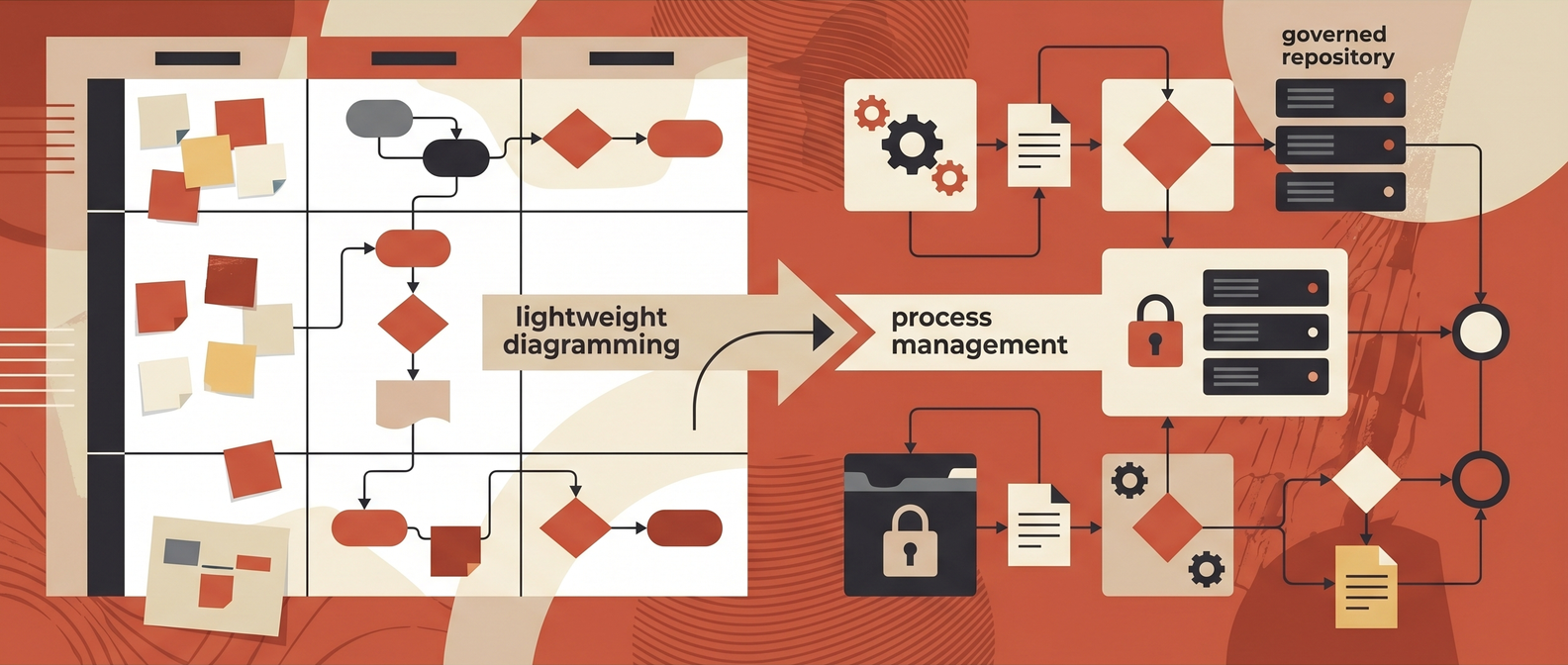
Process mapping software gets lumped into one category, but buyers are usually comparing three different things:
- Collaborative diagramming tools for workshops and documentation.
- BPMN and analysis tools for structured modeling.
- Process management platforms for governance, repositories, and continuous improvement.
That is why process mapping purchases go sideways. A team that really needs a shared process repository buys a whiteboard. A team that just needs fast collaborative mapping buys an enterprise BPM suite. Both end up disappointed for completely predictable reasons.
Short answer
The best brands in the process mapping software category are Microsoft Visio, Lucidchart, Miro, SmartDraw, diagrams.net, Creately, SAP Signavio, IBM Blueworks Live, Nintex Process Manager, and Bizagi. The right choice depends on whether your team needs lightweight collaboration, BPMN modeling, enterprise governance, or a bridge from process maps into automation and change management.
For most mid-market teams, Lucidchart or Miro are the fastest shortlist if the immediate need is collaborative mapping. Visio still makes sense in Microsoft-heavy environments. If your real problem is process governance, standards, and transformation discipline, start with SAP Signavio, Nintex Process Manager, IBM Blueworks Live, or Bizagi instead. Pair this with our guides to best tools for process mapping, business process mapping techniques, and business process automation solutions.
Visual asset plan
- Hero image:
/blog/images/best-brands-in-the-process-mapping-software-category.png - Hero concept: dark editorial scene with layered swimlanes, BPMN symbols, sticky-note workshop fragments, and a decision point between simple diagramming and governed process management.
- Comparison asset: turn the matrix below into a downloadable Process Mapping Software Comparison Table.
- Screenshot requirements: capture public product-page screenshots for Visio, Lucidchart, Miro, SAP Signavio, Nintex Process Manager, and Bizagi. Store as
/blog/images/{slug}-visio.png,/blog/images/{slug}-lucidchart.png,/blog/images/{slug}-miro.png,/blog/images/{slug}-sap-signavio.png,/blog/images/{slug}-nintex.png, and/blog/images/{slug}-bizagi.png. Do not hotlink vendor images.
Process mapping software comparison matrix
Use this as the linkable asset. It is designed for buyers deciding which brand belongs on the shortlist before they sit through demos.
| Brand | Best fit | Strengths to verify | Watch out for |
|---|---|---|---|
| Microsoft Visio | Microsoft-centric enterprises and analysts | Flowcharts, cross-functional flowcharts, methodology-specific templates, BPMN 2.0 support, familiarity inside Microsoft environments | Collaboration and adoption can feel heavier than web-first tools |
| Lucidchart | Cross-functional teams that need fast collaboration | Real-time co-authoring, comments, templates, data linking, broad integrations | Can become a generic diagram workspace unless standards are enforced |
| Miro | Workshops, discovery sessions, distributed teams | Flexible boards, diagramming packs, templates, async collaboration, AI-assisted diagramming | Excellent for discovery, but governance can drift without process ownership |
| SmartDraw | Teams that want speed and auto-formatting | Template-driven mapping, automatic formatting, export options, Confluence/Jira connectivity | Less of a full process management layer than BPM-oriented platforms |
| diagrams.net | Cost-sensitive teams and technical users | Free web and desktop use, flexible diagramming, easy embedding in docs workflows | Limited governance, weaker non-technical adoption, less enterprise process management depth |
| Creately | Teams that want visual collaboration plus process context | Interactive process maps, shapes, templates, collaboration, connected visual workspaces | Validate whether it is strong enough for your required governance model |
| SAP Signavio | Enterprise transformation and SAP-adjacent process governance | Shared repository, shared dictionary, BPMN 2.0 QuickModel, modeling conventions, process analysis | Heavier implementation and operating discipline required |
| IBM Blueworks Live | Teams that need a governed cloud process repository | Discovery, modeling, analysis, access-controlled spaces, single source of truth | Can be more platform than a lightweight documentation need requires |
| Nintex Process Manager | Mid-size to enterprise teams standardizing processes for improvement and automation | Process capture, centralized hub, BPMN modeling, dashboards, mobile access, AI-assisted capture | Requires ownership and ongoing maintenance to stay useful |
| Bizagi Modeler | Analysts and improvement teams needing BPMN and simulation | Free modeler, process simulation, imports from Visio and Blueworks, publishing options | Strong modeling tool, but broader governance depends on the larger platform and operating model |
The market split that buyers miss
The phrase "process mapping software" hides very different product categories. Buyers should separate them before vendor evaluation.
| Category | What it is | Typical brands | Best when |
|---|---|---|---|
| Collaborative diagramming | Fast visual mapping and workshop collaboration | Lucidchart, Miro, SmartDraw, Creately, diagrams.net | You need quick alignment, current-state mapping, and cross-functional visibility |
| Structured modeling | BPMN-heavy documentation and analysis | Visio, Bizagi, parts of Nintex and Signavio | You need formal notation, analyst workflows, simulation, or technical precision |
| Process management platforms | Repository, governance, standards, improvement, and transformation workflows | SAP Signavio, IBM Blueworks Live, Nintex Process Manager | You need process ownership, consistency, auditability, and a bridge to change programs |
This matters because the buying criteria are different. If your team is trying to document an onboarding workflow next week, the best tool is probably not the most powerful enterprise suite. If your team is trying to govern 300 cross-functional processes across finance, procurement, and operations, the best tool is probably not the prettiest whiteboard.
What actually matters when comparing brands
1. Collaboration model
Ask whether the tool fits how your team already works.
- Workshop-first teams usually need live co-editing, comments, lightweight sharing, and low training overhead.
- Analyst-led teams may care more about notation control, exports, validation, and modeling discipline.
- Governance-heavy teams need role-based permissions, review flows, repositories, and version clarity.
Lucidchart and Miro win a lot of early evaluation rounds because they are easy to adopt. That does not automatically make them the right long-term system of record.
2. Notation depth
Not every process map needs BPMN. Some absolutely do.
Use simple flowcharts or swimlanes when the goal is clarity for operators, business owners, and managers. Use BPMN or another formal standard when you need technical precision, handoff rigor, simulation, or consistency across many analysts and teams. Microsoft says Visio supports BPMN 2.0-compliant processes, while SAP Signavio, Nintex Process Modeling, and Bizagi all position around structured BPMN modeling.
If the buying team cannot explain why formal notation matters, they probably should not optimize for it.
3. Repository and governance
Many teams do not have a mapping problem. They have a process memory problem.
The issue is not drawing boxes. The issue is that nobody knows:
- which version is current,
- who owns the process,
- what changed,
- where exceptions live,
- and whether the documented flow matches reality.
That is where SAP Signavio, IBM Blueworks Live, and Nintex Process Manager usually outperform general diagramming tools. They are built around a managed repository, not just a canvas.
4. Integration and workflow adjacency
Process maps become useful when they connect to real operating work:
- documentation and SOPs,
- training,
- process mining or analysis,
- improvement projects,
- workflow automation,
- compliance evidence,
- and system implementation planning.
Lucidchart emphasizes integrations with Google Workspace, Atlassian, Microsoft Office, and Slack. SmartDraw positions around exports plus Confluence and Jira connectivity. Nintex explicitly frames process documentation as a foundation for automation work. That is an important distinction for buyers who want the maps to drive actual change rather than live as artifacts in a folder.
5. Adoption outside the analyst team
A process map platform fails when only the excellence team uses it.
Evaluate whether frontline operators, managers, legal reviewers, finance leads, or project owners can actually contribute. A platform that is theoretically powerful but practically ignored is not the best brand for your category. It is just the brand with the longest implementation deck.
Brand-by-brand shortlist notes
Microsoft Visio
Visio remains relevant because many enterprises already trust it, know it, and can slot it into existing Microsoft-heavy environments. Microsoft's support documentation highlights basic flowcharts, cross-functional flowcharts, work-flow diagrams, audit diagrams, BPMN diagrams, value stream maps, and other methodology-specific templates.
Visio is a strong fit when:
- the team already lives in Microsoft 365,
- analysts need formal diagram types,
- and the buyer values familiarity more than a modern workshop experience.
The risk is adoption. Many business users will collaborate more naturally in web-first tools than in classic enterprise diagramming software.
Lucidchart
Lucidchart is one of the clearest fits for collaborative process mapping. Its official product page emphasizes real-time co-authoring, in-editor chat, comments, shape libraries, templates, and integrations across common workplace tools.
Lucidchart is usually a good shortlist candidate when:
- multiple teams need to map together,
- speed matters,
- and you want lower friction than heavyweight BPM software.
The tradeoff is governance. Lucidchart can support standards, but the organization has to create them. The product does not automatically save a messy process architecture from itself.
Miro
Miro is strongest when process mapping starts in workshops. Its documentation positions it as a mapping and diagramming environment with templates, shape packs, and collaborative editing across plans.
Miro works well for:
- current-state discovery,
- cross-functional workshops,
- distributed teams,
- and teams that mix process maps with broader planning work.
The caution is similar to Lucidchart but stronger: Miro is excellent at getting ideas out of people. That does not mean it is the right long-term governed home for production process documentation.
SmartDraw
SmartDraw is a practical middle-ground brand for teams that want speed, intelligent formatting, and familiar diagram outputs without buying into a full transformation suite. Public materials emphasize templates, auto-formatting, shared folders, and export paths.
It is a sensible fit when:
- the team values speed over methodology depth,
- diagrams must be easy to edit,
- and lightweight sharing is enough.
It is less compelling if the real need is enterprise process governance.
diagrams.net and Creately
These brands matter because not every buyer needs enterprise software.
diagrams.net remains attractive for cost-sensitive teams, technical teams, and documentation-heavy environments that want a free option with low friction. Creately sits in a more collaborative workspace position, with public positioning around interactive process maps and connected visual work.
Both are worth considering when:
- budget is tight,
- the workflow is still maturing,
- or the team needs flexibility before standardization.
Both should be tested carefully if the organization expects formal governance, process ownership workflows, or enterprise-wide consistency.
SAP Signavio
SAP Signavio belongs on the shortlist when the buying problem is broader than diagramming. SAP's help materials describe a cloud-based platform for modeling and analyzing business processes with a shared repository, shared dictionary, QuickModel for BPMN 2.0, and modeling conventions.
That makes Signavio a fit for:
- enterprise process transformation,
- standardized architecture,
- governance across many teams,
- and buyers who need process maps to support larger improvement programs.
It is probably too much platform if the immediate requirement is just collaborative documentation for a handful of workflows.
IBM Blueworks Live
IBM Blueworks Live sits in the governed process workspace category. IBM describes it as a cloud-based tool for discovering, modeling, and analyzing processes with access-controlled spaces and a unified workspace.
It is a good fit when:
- the organization wants a managed process repository,
- multiple teams need controlled collaboration,
- and process documentation needs to feel more durable than a series of workshop boards.
The tradeoff is obvious: the platform works best when the company is willing to operate it deliberately.
Nintex Process Manager
Nintex Process Manager is one of the clearest "documentation plus improvement plus automation adjacency" options. Nintex emphasizes AI Process Capture, AI Process Generator, a centralized process hub, dashboards, BPMN modeling, and the idea that good documentation supports automation.
This is a strong fit for buyers who want:
- standardized process documentation,
- a searchable internal process hub,
- BPMN where needed,
- and a path from current-state maps into operational improvement.
It is especially relevant when the buyer wants process mapping to feed workflow automation decisions rather than stop at documentation.
Bizagi
Bizagi Modeler stays relevant because it is a credible option for BPMN-centric teams that need structured modeling without a large upfront commitment. Bizagi positions the modeler around process mapping, publishing, imports, and simulation.
Bizagi is a fit when:
- analysts care about BPMN,
- simulation matters,
- and the team wants a serious modeling environment.
It is less naturally positioned as a broad collaboration-first brand for non-technical business teams.
Red Brick Labs POV
Most teams should not start by asking, "Which process mapping brand is best?" They should start by asking, "What decision will this map help us make?"
If the answer is:
- "Understand the current workflow and align teams," start with Lucidchart or Miro.
- "Standardize enterprise process documentation and governance," start with SAP Signavio, IBM Blueworks Live, or Nintex Process Manager.
- "Model formal processes with BPMN and analysis depth," shortlist Visio and Bizagi alongside the governance platforms.
Red Brick Labs would usually run a short workflow audit before recommending software:
| Step | Output |
|---|---|
| Pick one painful workflow | A concrete process boundary, not a vague transformation goal |
| Map current state with operators | Real handoffs, delays, exceptions, and system touchpoints |
| Decide who needs the map | Workshop artifact, analyst model, or governed repository |
| Choose notation level | Basic flowchart, swimlane, value stream, or BPMN |
| Define the operating model | Owners, reviewers, update cadence, storage, permissions |
| Score tools against the workflow | Demo fit based on your process, not vendor theater |
That is the practical sequence. Buying software before doing that usually produces a polished diagram library with weak adoption.
CTA: map the workflow before you buy the platform
If your team is comparing process mapping software because workflows are slow, inconsistent, or impossible to improve, the tool decision is only part of the problem. The bigger issue is usually that the current workflow, ownership model, and automation path are still fuzzy.
Red Brick Labs can help you map the current-state process, choose the right documentation standard, and design the shortest path from process visibility to production automation. That work pairs naturally with our AI automation readiness scorecard and workflow automation ROI calculator.
Audit your process mapping workflow: Red Brick Labs can map your current-state workflow, define the right process documentation standard, and help you choose the tool stack that supports automation instead of creating another diagram graveyard.
Source notes
These notes are based primarily on official vendor documentation and product pages reviewed on May 4, 2026. Capabilities and packaging change, especially around AI-assisted diagramming, BPMN coverage, repositories, and integrations. Validate current functionality in live demos before purchasing.
- Microsoft Support: Process diagrams in Visio
- Lucid: Lucidchart product page
- Miro Help Center: Miro for Mapping and Diagramming
- SmartDraw: Process Mapping Software
- SAP Help: SAP Signavio Process Manager feature scope
- IBM Docs: Blueworks Live overview
- Nintex: Nintex Process Manager
- Bizagi: Bizagi Modeler
- Creately: Process Mapping Software
- draw.io / diagrams.net: draw.io
For adjacent operator context, use this article with our guides to best tools for process mapping, business process mapping techniques, business process automation solutions, and the AI automation readiness scorecard.
FAQ
What is the best brand in the process mapping software category for most teams?
For most teams, the best brand is the one that matches the operating model. Lucidchart and Miro are strong for collaborative mapping. Visio is strong for Microsoft-heavy environments. SAP Signavio, IBM Blueworks Live, Nintex Process Manager, and Bizagi are stronger when you need formal governance, BPMN depth, or a more durable process management layer.
Should we buy a whiteboard-style tool or a BPM platform?
Buy the whiteboard-style tool when you need fast mapping, workshops, and team alignment. Buy the BPM-oriented platform when you need a repository, standards, controlled collaboration, process ownership, or a clear path from documentation into managed improvement.
Can process mapping software directly improve automation ROI?
Yes, but only when the maps are tied to actual decisions: where work starts, which systems are involved, what data moves, where humans approve, and what can safely be automated. A process map without ownership or workflow follow-through does not improve ROI by itself.