Yes: if you want contract management software with good usability, start with Juro, SpotDraft, Contractbook, Oneflow, PandaDoc, and ContractSafe for the fastest day-to-day adoption. If you need stronger legal ops control without jumping straight into a heavyweight enterprise rollout, add Ironclad and LinkSquares to the shortlist. If you are an enterprise buyer with complex approvals, procurement, and post-signature governance, evaluate DocuSign CLM, Agiloft, and Icertis only after you confirm your team has the process and admin capacity to support them.
Short answer
The contract management software options with the best usability are usually the ones that make the next step obvious for each user: request a contract, choose the right template, review or approve exceptions, sign, find the final version, and act on renewal dates before they become expensive.
For most mid-market teams, that means starting with Juro, SpotDraft, Contractbook, Oneflow, PandaDoc, and ContractSafe. For more mature legal ops teams, Ironclad and LinkSquares add stronger workflow control and repository depth. For enterprise governance, DocuSign CLM, Agiloft, and Icertis can work well, but only when the organization is ready for heavier configuration and change management.
This article is the shortlist version. For the broader category view, also read Accounts Payable OCR Software, Best Contract Management Software, Best Contract Management Software 2026, and Best Contract Management Software with Great Analytics Capabilities.
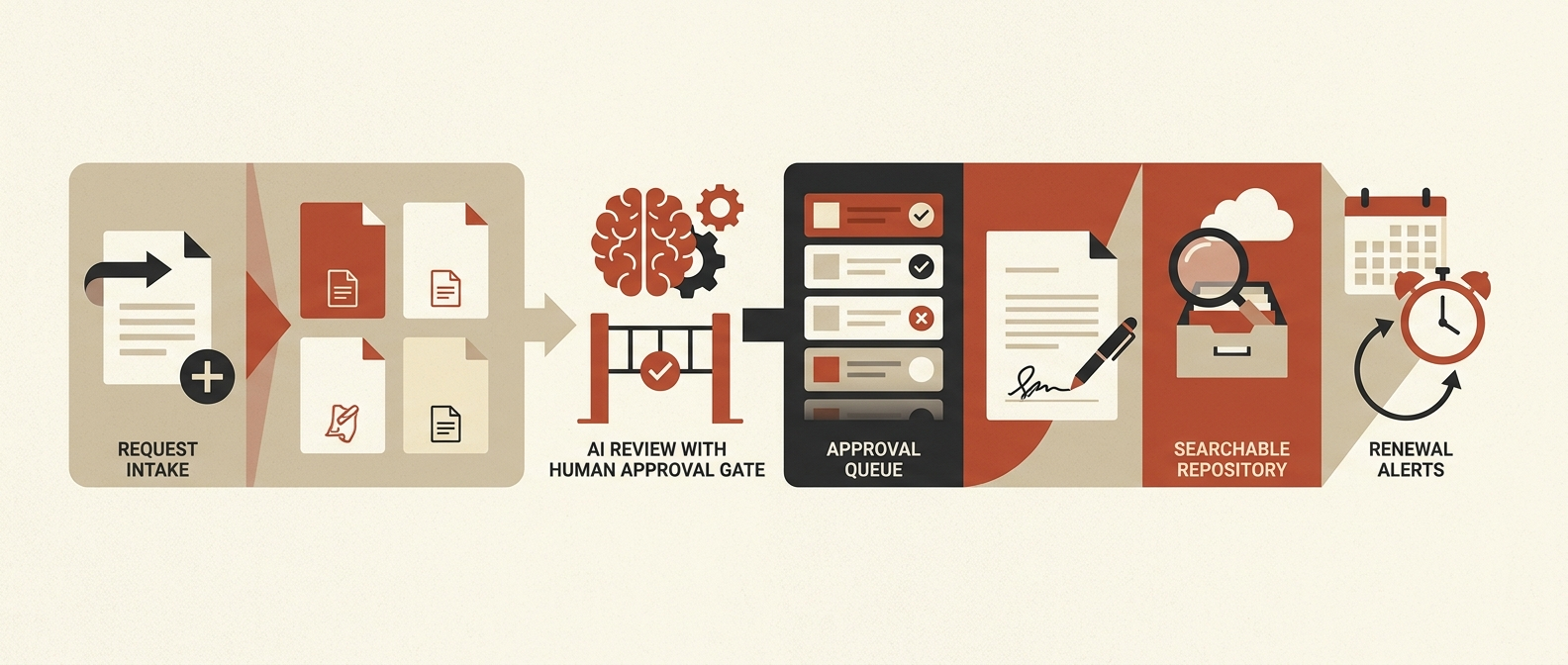
Comparison table: contract management software options with good usability
This table reflects public product positioning and documentation reviewed on May 6, 2026.
| Software | Best usability fit | Why it tends to be easier to adopt | Watch-out | Best pilot test |
|---|---|---|---|---|
| Juro | Mid-market legal, HR, sales, and operations teams | Browser-native workflows, self-serve contract creation, AI review, and strong integration posture | Validate complex approvals, Word-heavy negotiation, and legacy migration | Have a non-legal user request, draft, approve, and sign a live template without legal handholding |
| SpotDraft | Legal teams that need structure without making business users miserable | Intake, workflows, Word-based review, repository, reporting, and integrations in one system | Admin design still matters; a bad form can ruin a good platform | Run one non-standard MSA with clause deviations, approvals, and renewal metadata |
| Contractbook | Smaller or scaling teams centralizing contracts quickly | OCR, centralized repository, reminders, and lighter automation are approachable | Not the best fit for deep enterprise obligations or complex governance | Import 25 agreements and test search, reminders, metadata, and export |
| Oneflow | Sales-led or commercial teams | Digital contracts, CRM-connected workflows, and simpler collaboration model | Can feel light for complex legal ops requirements | Push a quote or order form from CRM to signed contract and back into the record system |
| PandaDoc | Revenue teams managing proposals and simpler agreements | Familiar document flow, approvals, signature, notifications, and CRM integrations | Not a full legal ops platform for deep repository intelligence | Test proposal creation, approval routing, signature, and finance handoff |
| ContractSafe | Teams moving off shared drives and spreadsheets | Strong search, reminders, permissions, repository simplicity, and approachable UI | Lighter workflow depth than full CLM suites | Load legacy contracts and test search, dates, roles, and alerts |
| Ironclad | Modern legal ops teams | No-code workflows, AI-assisted review, connected tools, and strong collaboration | Needs clearer process ownership than lighter tools | Build one intake-to-signature workflow with approver logic and AI review |
| LinkSquares | Legal teams prioritizing search, reporting, and operational visibility | Centralized requests, workflow visibility, repository insights, and playbooks | Repository-first value may not solve drafting pain on its own | Import legacy contracts and test legal requests, search, reporting, and renewals |
| DocuSign CLM | Enterprises already invested in DocuSign and structured approvals | Pre-configured workflow steps, AI-assisted review, repository, and strong integration options | Heavier implementation than the UI suggests | Recreate one real approval path from request through storage and reporting |
| Agiloft | Teams that need no-code control and are willing to administer it | High configurability can produce a good fit for complex workflows | Configurability can become complexity fast | Time how long it takes admins to adjust a template, rule, field, and workflow |
| Icertis | Enterprises with procurement, obligations, and cross-functional governance needs | Deep workflow, obligations, analytics, and enterprise integration depth | Usability depends on strong process design and change management | Pilot a high-risk contract family with approvals, obligations, and reporting |
The practical shortlist by team type
Best options for fast adoption
If your real goal is to get users out of email, Slack, shared drives, and mystery Word files, start with:
- Juro
- SpotDraft
- Contractbook
- Oneflow
- PandaDoc
- ContractSafe
These tools are easier to shortlist because their public positioning centers on getting contracts created, reviewed, signed, found, and tracked without making users learn a giant operating system first. Juro emphasizes self-serve creation and integrations into existing workflows. SpotDraft emphasizes workflows, templates, repository, intake, Word review, and integrations. Contractbook emphasizes OCR, a centralized repository, and contract automation. PandaDoc emphasizes draft, approve, sign, and track in one place. ContractSafe leans hard into search, reminders, roles, and a simpler repository model.
Best options when legal ops still needs stronger control
If legal owns the process and the business needs more structure, add:
- Ironclad
- LinkSquares
Ironclad is stronger when workflow automation, approvals, AI-assisted review, and collaboration across systems matter most. LinkSquares is stronger when the biggest pain is visibility across the portfolio: legal requests, repository structure, reporting, search, and playbooks.
This is usually the sweet spot for teams that have outgrown lightweight contract handling but are not yet ready for a full enterprise CLM program.
Best options only if your org can support heavier CLM
Shortlist these only if you already have the operating discipline to support them:
- DocuSign CLM
- Agiloft
- Icertis
These can absolutely be usable, but "usable" means something different at enterprise scale. It means the system handles complex workflows, approvals, obligations, integrations, and reporting without collapsing. It does not mean a brand-new business user will love every screen on day one.
What good usability actually means in contract management software
In CLM, usability is not just visual polish. It is whether each group can do its job without routing around the system.
| User group | What they need from usability |
|---|---|
| Business users | Fast request intake, the right template, clear next steps |
| Legal | Playbooks, approval logic, version control, AI review with human oversight |
| Finance | Correct payment terms, owners, values, dates, and searchable final agreements |
| Procurement | Supplier visibility, approval control, obligation tracking, renewals |
| Operations or growth | Clean reporting, integrations, and a system people actually use |
If the system only works for legal admins, adoption breaks. If it only works for sales speed, governance breaks. Good usability means both can coexist.
Buyer criteria: how to evaluate usability without getting fooled by demos
Use these criteria during vendor evaluation.
| Criterion | What good looks like | Bad sign |
|---|---|---|
| Request intake | A business user can submit a complete request in minutes | Legal still receives vague asks over chat and email |
| Template guidance | Users are routed to the right contract type and approved language | Teams keep copying old documents |
| Collaboration | Comments, redlines, versions, and approvals stay in one traceable flow | The process falls apart once the counterparty edits the draft |
| Search and repository | Users can find signed agreements, clauses, dates, owners, and status quickly | The repository is just a better-looking folder tree |
| Renewal ownership | Alerts create assigned action, not passive reminders | Renewal dates still live in someone's calendar |
| AI review safety | AI helps with summaries, extraction, and clause checks with human review gates | AI answers look polished but nobody can verify them |
| Admin effort | Legal ops can maintain templates, fields, and rules without heavy vendor dependence | Simple changes require services tickets or engineering |
| Integrations | CRM, e-signature, storage, Slack, Teams, procurement, and finance systems connect cleanly | Users re-enter the same data across tools |
What current public sources suggest about the shortlist
Official vendor pages line up around a few recurring usability signals:
- Juro emphasizes contracts initiated from CRM or ATS workflows, AI review, and replacing Word, Google Docs, and PDF handoffs.
- SpotDraft emphasizes workflows, templates, repository, reporting, Word review, intake, and integrations inside business tools.
- Ironclad emphasizes no-code workflow design, working from Salesforce and Slack, and boosting adoption by enabling contract work inside everyday tools.
- LinkSquares emphasizes centralized legal requests, workflows, playbooks, analytics, and searchable contract insights.
- DocuSign CLM emphasizes AI-assisted review, more than 100 pre-configured workflow steps, and an AI-powered repository with search and reporting.
- Contractbook emphasizes OCR, a centralized depository, and contract automation tools.
- PandaDoc emphasizes draft, approve, sign, and track in one place with automated approval routing.
- ContractSafe emphasizes AI-powered search, date tracking, reminders, permissions, and an easy repository.
That does not prove which tool is best for you. It does show which vendors are publicly optimizing for usability rather than just feature sprawl.
Red Brick Labs POV
The most usable contract management software is usually the one your team can operate in the next 90 days, not the one with the most enterprise theater.
We would evaluate the workflow in this order:
- Where contract requests actually start.
- Which templates and playbooks are approved today.
- How non-standard terms trigger review and approval.
- Which metadata finance, legal, procurement, and operations really need later.
- Who owns renewals, notices, and obligations after signature.
- Which systems the contract data must sync with.
- Where AI can help safely and where humans must stay in the loop.
That workflow-first posture is the same reason buyers should compare contract tooling alongside adjacent document operations work. The contract problem often touches invoice intake, OCR, repository hygiene, and workflow automation, not just legal tech in isolation.
CTA: audit the workflow before you buy
If you are comparing contract management software options mainly on usability, do not start with a vendor beauty contest.
Book a 15-minute consultation and Red Brick Labs can map your intake flow, approvals, metadata, renewal ownership, AI review controls, and integrations before you commit to a CLM rollout.
Audit your contract workflow before buying CLM: Red Brick Labs maps intake, approvals, metadata, renewal ownership, AI review controls, and integrations so you can choose contract software your team will actually use.
Sources and research notes
Usability, AI features, packaging, and integrations change quickly. Validate current capabilities, pricing, security, and implementation scope directly with vendors before buying.
Primary public sources reviewed on May 6, 2026:
- Association of Corporate Counsel: Generative AI adoption in corporate law departments
- WorldCC Benchmark Report 2025
- Juro create contracts and workflow page
- SpotDraft how it works
- Ironclad AI-based contract management
- LinkSquares contract lifecycle management software
- DocuSign CLM
- Contractbook AI contract management
- PandaDoc contract management software
- ContractSafe contract management software
- Agiloft CLM platform
- Icertis platform overview
FAQ
Which contract management software options have good usability for mid-market teams?
Juro, SpotDraft, Contractbook, Oneflow, PandaDoc, and ContractSafe are strong starting points for mid-market teams that care about adoption. Ironclad and LinkSquares are also worth a look when the team needs stronger legal ops workflows and reporting.
Which CLM options are easiest for non-legal users?
Juro, PandaDoc, Oneflow, and Contractbook usually present the smoothest first experience for non-legal users because they lean into self-serve creation, simpler workflows, and cleaner collaboration.
When do enterprise CLM tools still make sense?
DocuSign CLM, Agiloft, and Icertis make sense when the workflow includes complex approvals, obligations, multiple business systems, stricter governance, or enterprise reporting needs. They are rarely the best first answer for a team that still runs contracts from inboxes and shared drives.