Customer onboarding automation usually looks clean in a demo because demos use clean customers.
Real launches get messier. A customer signs the wrong plan. The CRM has a duplicate account. Legal redlines are still open. Billing needs a purchase order. Implementation needs a technical admin. The customer success manager changes after the deal closes. Someone edits a field after the workflow already fired.
Acceptance tests are how you find those problems before customers do.
Short answer
Customer onboarding automation acceptance testing should prove that the workflow can take a real closed-won customer from trigger to kickoff without breaking CRM ownership, billing setup, legal checks, provisioning, task routing, customer communications, audit logs, or exception handling. Write tests from the business process, not from the automation tool: define the customer scenario, expected system changes, human approval points, failure behavior, evidence required, and launch decision.
For automation that uses agents or AI decision support, pair this checklist with AI agent frameworks, the AI agent governance checklist for operations leaders, AI agent workflows, and the broader AI automation for business guide.
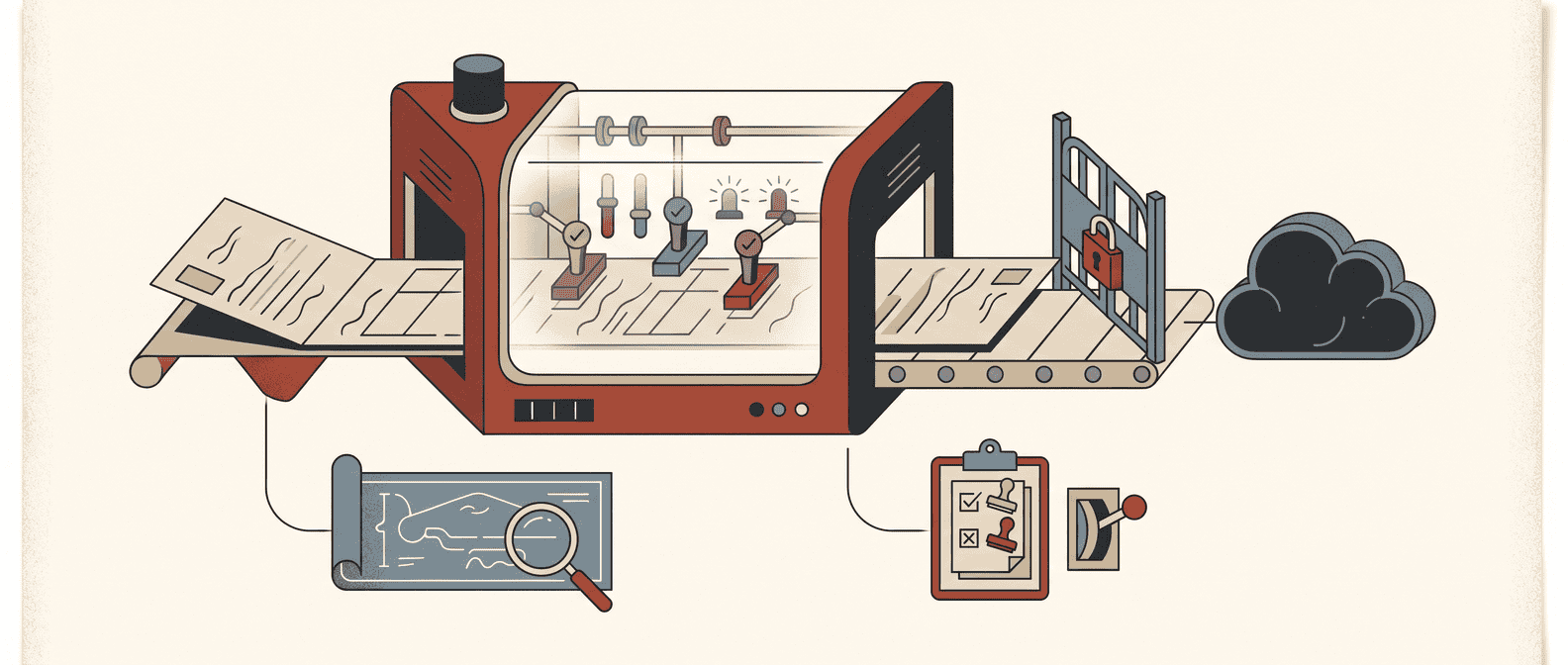
The customer onboarding acceptance-test workflow
Use this workflow before launching automation that creates onboarding tasks, updates CRM records, opens implementation projects, sends customer emails, provisions access, starts billing handoffs, or routes legal and finance exceptions.
| Step | What to write | Evidence before launch |
|---|---|---|
| 1. Map the onboarding path | Trigger, systems, owners, customer segments, handoffs, and done state | One workflow map |
| 2. Define acceptance criteria | Business rules for when the workflow is correct | Signed-off criteria by function |
| 3. Build test customers | Realistic customer records, plans, contracts, billing terms, and edge cases | Test data set |
| 4. Test happy paths | Standard onboarding for each major segment | Passed test runs and screenshots/logs |
| 5. Test exceptions | Missing data, duplicate records, contract blockers, billing blockers, stale owners | Exception queue evidence |
| 6. Test integrations | CRM, billing, project management, support, legal, data warehouse, Slack/email | Field-level integration proof |
| 7. Test permissions | Who can read, write, approve, edit, rerun, and pause | Permission matrix results |
| 8. Test communications | Customer emails, internal notifications, task assignments, escalation messages | Approved message samples |
| 9. Test observability | Logs, audit trail, status dashboard, error alerts, launch metrics | Monitoring view |
| 10. Test rollback | Undo steps, pause automation, repair bad records, rerun safely | Rollback runbook |
| 11. Approve launch | Business owner accepts known risks and go-live gates | Launch sign-off |
That is the minimum. If the automation touches customer-facing messages, billing, legal commitments, sensitive data, or AI-generated recommendations, acceptance testing needs to be stricter.
Why onboarding automation needs acceptance tests, not just QA
Traditional QA checks whether the configured workflow works as built. Acceptance testing checks whether the workflow is acceptable to the business users who must live with it.
ISTQB defines user acceptance testing as acceptance testing carried out by future users in a simulated operational environment, focused on user requirements and needs. Atlassian frames acceptance criteria as the conditions a task or product must meet before it can be accepted. For onboarding automation, that difference matters.
A Zap can fire correctly and still create operational damage.
Examples:
- The workflow creates a kickoff project, but assigns it to the wrong implementation team.
- The welcome email sends, but references a feature the customer did not buy.
- Billing gets notified, but the purchase order requirement is missing.
- Customer success receives a task, but legal has not approved the final agreement.
- Provisioning starts, but the customer admin contact is blank.
- The AI summary looks useful, but it ignores a special implementation note in the contract.
Those are acceptance failures. The automation technically ran. The business outcome was still wrong.
1. Start with the real onboarding definition of done
Do not begin by listing tool steps. Begin with the business definition of a successfully onboarded customer.
For many B2B teams, the pre-kickoff onboarding definition of done includes:
- the account, opportunity, subscription, and contract are linked correctly;
- implementation owner and customer success owner are assigned;
- product package, tier, region, start date, and billing terms are accurate;
- legal, security, procurement, and finance blockers are visible;
- the customer admin and technical contacts are confirmed;
- kickoff tasks are created with the right due dates;
- customer communications match the contract and plan;
- internal teams can see onboarding status without asking in Slack;
- exceptions are routed to a named owner;
- every automated action is logged.
Write that down before writing tests. Otherwise the test suite will only prove that the automation tool followed its recipe.
Red Brick Labs POV: acceptance criteria should be owned by RevOps and customer success, with finance, legal, support, and implementation signing off on the parts that affect them. The builder can automate the workflow. The operating teams must define what "correct" means.
2. Turn each handoff into an acceptance criterion
Customer onboarding automation usually crosses more systems than people admit during scoping.
Common systems include:
- CRM: account, contact, opportunity, subscription, owner, renewal date.
- Contract repository: order form, MSA, security exhibit, DPA, redlines, special terms.
- Billing or ERP: payment terms, purchase order, tax details, invoice contact.
- Customer success platform: health score, lifecycle stage, playbook, CSM assignment.
- Project management: implementation project, task templates, dependencies.
- Support or help desk: onboarding support queue, entitlement, SLA.
- Identity or provisioning: user roles, tenant setup, workspace creation.
- Data warehouse or BI: reporting dimensions, cohort, source, segment.
- Slack or email: internal notifications and customer messages.
For each handoff, write an acceptance criterion in plain language:
| Handoff | Acceptance criterion |
|---|---|
| Closed-won to onboarding | When an opportunity reaches closed-won and required fields are complete, the workflow creates an onboarding record within 5 minutes. |
| Sales to implementation | The implementation owner is assigned from segment, region, product package, and capacity rules. |
| Contract to billing | Billing tasks include payment terms, PO requirement, invoice contact, tax status, and contract link. |
| CRM to customer success | The customer lifecycle stage changes only after the onboarding record is created and owner assignment succeeds. |
| Automation to human review | Missing legal, billing, security, or admin-contact data sends the record to an exception queue instead of continuing. |
| Internal to customer communication | No customer-facing message sends until plan, start date, admin contact, and sender owner are validated. |
Good acceptance criteria are boring, specific, and testable. If a tester cannot inspect the system and say pass or fail, the criterion is not ready.
3. Build a test data pack that looks like your customer base
Acceptance tests fail when the test data is too clean.
Create a test data pack with realistic onboarding cases:
| Test customer | Scenario | Why it matters |
|---|---|---|
| Standard SMB customer | One product, standard terms, one admin contact | Happy path baseline |
| Mid-market customer | Multi-seat plan, implementation owner needed, PO required | Common RevOps complexity |
| Enterprise customer | Security review, DPA, legal notes, multiple stakeholders | Legal and coordination risk |
| Expansion customer | Existing account, new workspace, current CSM | Duplicate and ownership risk |
| Partner-led customer | Reseller or partner contact involved | Routing and attribution risk |
| Incomplete handoff | Missing admin, billing contact, or start date | Exception handling |
| Duplicate account | Existing account with similar name or domain | CRM integrity |
| Delayed legal approval | Closed-won stage changes before legal field is complete | Control gate |
| AI summary case | Contract notes summarized for onboarding team | AI accuracy and source-link testing |
Use anonymized or synthetic data, but keep the mess. If your real customers have incomplete fields, plan changes, multi-entity billing, odd contract terms, and last-minute owner changes, your test data should too.
4. Write tests in Given / When / Then format
Given / When / Then keeps acceptance tests tied to business behavior instead of implementation trivia.
Example:
| Field | Test case |
|---|---|
| Given | A closed-won mid-market customer has a signed order form, one admin contact, payment terms of net 30, and a PO required flag. |
| When | The opportunity stage changes to closed-won. |
| Then | The automation creates an onboarding record, assigns the implementation owner, creates a billing task with PO required, creates a kickoff task, updates lifecycle stage to onboarding, and logs the run ID. |
| And | No customer welcome email is sent until the CSM approves the kickoff date. |
That last line is important. Customer onboarding tests should include what the automation must not do.
For AI-assisted onboarding, add evidence checks:
- Then the AI-generated onboarding summary cites the source contract or CRM fields used.
- Then the summary flags uncertainty when special terms conflict.
- Then the system routes low-confidence or missing-source summaries to human review.
- Then no downstream task uses an uncited AI recommendation as the only source of truth.
This is how acceptance testing becomes a launch control, not a writing exercise.
5. Test the happy paths first, then try to break the workflow
Run happy paths for every customer segment you plan to launch.
At minimum:
- new SMB customer;
- new mid-market customer;
- new enterprise customer;
- expansion customer;
- customer requiring legal/security review;
- customer requiring billing/procurement follow-up.
For each happy path, verify:
- trigger fires only once;
- all required records are created;
- ownership is correct;
- due dates follow business rules;
- data maps to the correct fields;
- internal notifications reach the right teams;
- customer communications are accurate and approved;
- status is visible in the CRM or onboarding workspace;
- the audit log shows what happened.
Then run failure and edge-case tests:
- required field missing;
- duplicate account exists;
- contract link is broken;
- billing contact is missing;
- PO required but no PO attached;
- region has no available implementation owner;
- customer start date is in the past;
- customer cancels or downgrades after automation starts;
- workflow runs twice;
- integration API returns an error;
- AI summary conflicts with structured CRM fields.
The goal is not to prove the system is clever. The goal is to prove it fails in a controlled way.
6. Add acceptance tests for permissions and authority
Onboarding automation often has too much authority because it starts as a shortcut.
Before launch, test:
| Permission area | Acceptance test |
|---|---|
| CRM writes | Automation can update only approved onboarding fields, not pricing, ARR, owner history, or contract status unless explicitly allowed. |
| Customer messages | Customer-facing emails require approval or meet strict template rules before send. |
| Billing handoffs | Automation can create billing tasks but cannot approve payment terms, edit tax data, or change invoice recipients without human review. |
| Legal blockers | Automation can flag legal status but cannot mark legal complete unless the legal source field is already approved. |
| Provisioning | Automation can request provisioning but cannot grant elevated access without admin approval. |
| Reruns | A failed workflow can be rerun without duplicating projects, tasks, emails, or billing requests. |
| Pausing | A named owner can pause the automation immediately during launch. |
NIST's AI Risk Management Framework emphasizes mapping, measuring, managing, and governing AI system risks across the lifecycle. OWASP's LLM guidance highlights risks such as prompt injection, insecure output handling, sensitive data exposure, and excessive agency. Even when your onboarding automation is not fully agentic, those lessons apply: constrain permissions, validate outputs, keep humans in the loop for consequential actions, and log decisions.
If the automation can act across CRM, email, billing, and provisioning, treat it like a production operator with credentials.
7. Test customer communications like product surfaces
Customer-facing onboarding messages are not "just notifications." They shape trust before the customer has received value.
Acceptance tests should review:
- subject line and sender;
- customer name, company, plan, start date, and purchased products;
- promised next step;
- kickoff scheduling link or owner;
- attachments or links;
- support path;
- legal or billing language;
- suppression rules;
- unsubscribe or compliance requirements where relevant.
Write at least these tests:
| Scenario | Expected behavior |
|---|---|
| Standard customer | Sends approved welcome message after owner and kickoff rules pass |
| Missing admin contact | Does not send customer email; routes to exception owner |
| Enterprise legal blocker | Sends no implementation-start message until legal flag clears |
| Expansion customer | Uses existing customer context and does not send new-logo language |
| Duplicate run | Does not send a second welcome message |
| AI-generated draft | Requires human approval before send |
Small copy mistakes become trust problems in onboarding. Test messages with the same seriousness as field updates.
8. Make every test produce launch evidence
Acceptance testing should leave behind evidence the launch owner can inspect.
For each test, capture:
- test ID;
- customer scenario;
- systems involved;
- expected result;
- actual result;
- pass/fail;
- defect owner;
- severity;
- screenshot or log link;
- run ID;
- tester;
- date;
- launch decision.
Use severity levels:
| Severity | Example | Launch decision |
|---|---|---|
| Blocker | Wrong customer gets email, billing task missing, duplicate onboarding project, legal blocker ignored | Do not launch |
| High | Owner assignment wrong for one segment, exception queue missing context | Fix before launch or narrow scope |
| Medium | Internal notification copy unclear, dashboard field missing | Launch only with owner approval |
| Low | Cosmetic label, non-critical formatting issue | Can launch with backlog item |
The acceptance-test record becomes the first artifact in your operating history. It is also what prevents "I thought that was tested" from becoming the launch retrospective.
9. Use this pre-launch checklist
Copy this into the implementation plan before go-live.
| Acceptance-test item | Pass? | Evidence |
|---|---|---|
| Workflow map covers trigger, systems, owners, handoffs, exceptions, and done state | ||
| Business owner signed off on onboarding definition of done | ||
| RevOps, CS, finance, legal, support, and implementation owners reviewed their handoffs | ||
| Acceptance criteria are specific enough to pass or fail | ||
| Test data includes each customer segment and messy edge cases | ||
| Happy path tests passed for every launch segment | ||
| Exception tests route to named owners without continuing unsafe steps | ||
| Integration tests prove field-level updates in CRM, billing, project, support, and CS systems | ||
| Permission tests confirm the automation cannot edit blocked fields or perform blocked actions | ||
| Customer-facing communications are approved and suppressed when required data is missing | ||
| AI-generated summaries or recommendations cite sources and route uncertainty to human review | ||
| Audit logs show trigger, inputs, decisions, actions, errors, approvals, and run IDs | ||
| Monitoring dashboard covers run volume, failures, exception rate, cycle time, and manual overrides | ||
| Rollback plan has been tested, including pause, repair, and safe rerun | ||
| Launch scope is narrow enough to support in the first week | ||
| Named launch owner accepted known issues and go/no-go criteria |
The launch decision: pass, narrow, or stop
Do not treat acceptance testing as a ceremonial box to tick the day before go-live.
At the end, make one of three decisions:
| Decision | Use when | Next step |
|---|---|---|
| Pass | Happy paths, exceptions, permissions, communications, logging, and rollback all pass for the launch scope | Launch to the approved segment with daily monitoring |
| Narrow | Core workflow works, but one segment, integration, or risk area is not ready | Launch only the safe subset |
| Stop | Blockers affect customer trust, billing, legal, data integrity, or supportability | Fix and rerun acceptance testing |
Narrowing is not failure. It is usually the operator-grade decision. A clean launch to SMB customers is better than a dramatic launch across every segment that creates cleanup work for RevOps, CS, finance, legal, and support.
Backlink asset angle: make the checklist the linkable asset
This article should become a reusable customer onboarding automation acceptance-test checklist, not just another implementation essay.
Best backlink angles:
- "Pre-launch checklist for customer onboarding automation."
- "RevOps UAT checklist for onboarding workflows."
- "Customer success automation acceptance-test template."
- "AI onboarding workflow launch-readiness checklist."
Good outreach targets:
- RevOps and customer success newsletters;
- SaaS onboarding playbook pages;
- implementation consultant resource libraries;
- CRM operations communities;
- automation and AI governance roundups.
The useful asset is the checklist itself: a cross-functional pass/fail worksheet that teams can use before launch.
CTA: pressure-test onboarding automation before customers feel it
If your team is about to automate customer onboarding, Red Brick Labs can help you map the workflow, write acceptance tests, build approval gates, instrument monitoring, and launch the first production version without turning RevOps into the cleanup crew.
Get the customer onboarding automation acceptance-test checklist: Red Brick Labs helps RevOps and operations teams map customer onboarding workflows, write acceptance tests, build approval gates, and launch automation that works inside the systems the team already uses.
Get the customer onboarding automation acceptance-test checklist, or book a 15-minute implementation review at cal.com/redbricklabs/15min.
Source notes
- ISTQB's user acceptance testing definition supports the article's distinction between tool QA and business-user acceptance in a simulated operational environment.
- Atlassian's acceptance-criteria guidance supports writing explicit, testable conditions for when a workflow can be accepted.
- NIST AI RMF and the NIST AI RMF Core support the governance, mapping, measurement, and risk-management controls recommended for AI-assisted onboarding workflows.
- OWASP's LLM application risks informed the sections on prompt injection, insecure output handling, sensitive data exposure, excessive agency, permissions, validation, and human review.
- Salesforce, Gainsight, and Dock customer onboarding resources informed the operational framing around time-to-value, customer success plans, onboarding metrics, and cross-functional onboarding accountability.