Invoice OCR QA is the difference between useful finance automation and a faster way to create accounting mess. The OCR model can look impressive in a demo and still fail in production because the wrong vendor was matched, the total was accepted without tax validation, duplicate detection was too weak, or exceptions landed in someone's inbox with no owner.
Short answer
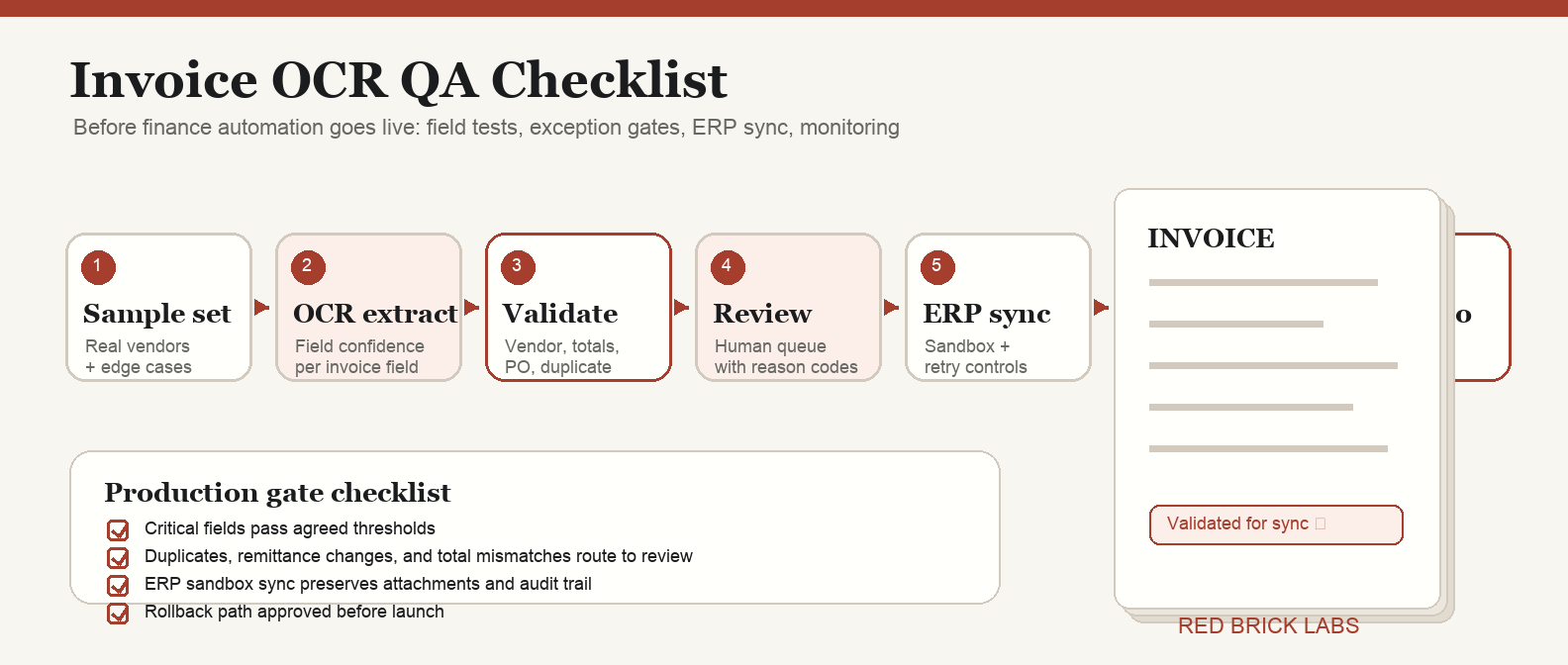
An invoice OCR QA checklist should prove that the automation can capture the right invoice data, validate it against finance rules, route risky invoices to humans, and sync only approved records into the accounting system. Test field-level accuracy, confidence thresholds, vendor matching, duplicate detection, PO matching, approval routing, ERP sync, audit logs, monitoring, and rollback before go-live.
Do not QA invoice OCR as a document-scanning feature. QA it as an accounts payable control system.
Why invoice OCR QA matters before go-live
Invoice OCR does not fail politely. It fails by sending bad data downstream.
A wrong invoice number can weaken duplicate detection. A vendor-name mismatch can create a new supplier record. A tax or currency error can pollute the close. A silent line-item mistake can route approval to the wrong department. None of these are OCR problems in isolation. They are finance-control problems.
That is why a QA checklist belongs before go-live, not after the first angry Slack thread from accounting.
If you are still choosing the system, start with our guide to accounts payable OCR software. If you already have a tool and need a broader rollout plan, use the invoice OCR implementation checklist first, then run the QA checklist below before production.
1. Define what “good enough” means by field
Do not accept one generic OCR accuracy number. It is usually the wrong metric.
Finance cares about whether specific fields are correct enough to support payment, approval, coding, and audit. A 99% character-recognition score is meaningless if the invoice total, vendor ID, or PO number is wrong.
Create a field-level QA table:
| Field | Business risk if wrong | Auto-accept rule | Review trigger |
|---|---|---|---|
| Vendor name / vendor ID | Wrong supplier, bad payment routing, duplicate vendor records | Exact or approved fuzzy match to vendor master | New vendor, weak match, changed remittance details |
| Invoice number | Duplicate payment risk | Present, normalized, unique for vendor | Missing, duplicate, near-duplicate, odd formatting |
| Invoice date | Close and aging errors | Valid date within accepted window | Future date, stale date, impossible format |
| Due date / terms | Payment timing errors | Matches vendor terms or invoice terms rule | Due date before invoice date, unusual terms |
| Subtotal, tax, total | Overpayment, tax, and reconciliation errors | Arithmetic reconciles within tolerance | Total mismatch, unsupported tax pattern, currency mismatch |
| PO number | Failed 2-way or 3-way match | PO exists and vendor/amount aligns | Missing required PO, closed PO, mismatch |
| Line items | Coding and allocation errors | Required fields present and totals reconcile | Missing quantity, price variance, ambiguous description |
| Currency / entity | Reporting and payment errors | Allowed currency and legal entity match | Unexpected currency, entity mismatch |
| GL code / cost centre | Bad accounting classification | Rule-based match above confidence threshold | Low confidence, unknown department, new category |
The Red Brick Labs POV: treat extraction as an input, not a decision. The automation earns trust only when extracted fields pass validation rules that finance agreed to in advance.
2. Build a representative QA sample
The sample should look like production, not a vendor demo folder.
Include at least:
- High-volume vendors.
- Low-volume, high-dollar vendors.
- Native PDFs and scanned PDFs.
- Multi-page invoices.
- PO invoices and non-PO invoices.
- Credit memos.
- Invoices with taxes, discounts, freight, or multiple currencies.
- Line-item-heavy invoices.
- Low-quality scans that still appear in real life.
- Edge cases that currently make AP slow.
For most mid-market teams, 100 to 300 invoices is enough for a serious pilot sample. If your invoice mix is highly variable, segment the sample by vendor group, region, entity, and invoice type instead of pretending one average accuracy score tells the truth.
The goal is not to prove the model can handle clean invoices. The goal is to expose where it breaks while finance still has time to design controls.
3. Separate OCR extraction QA from finance validation QA
These are two different tests.
Extraction QA asks: did the system read and label the invoice data correctly?
Validation QA asks: should the business trust that data enough to move it forward?
For example, the OCR may correctly extract a total of $48,250. That does not mean the invoice should be approved. Finance still needs to know whether the vendor is approved, whether the PO matches, whether the tax is plausible, whether the invoice number is duplicate, whether the amount exceeds an approval threshold, and whether the payment details changed.
Run QA in two layers:
- Field extraction tests: compare extracted values against human-labeled ground truth.
- Business rule tests: validate the extracted values against finance policies and system-of-record data.
This is the same pattern we use in production document automation: capture, structure, validate, route, then integrate. OCR is just one step in the chain. A useful chain has gates.
For adjacent document-heavy workflows, see our guides to best contract management software and best contract management software in 2026. The lesson is the same: extraction without workflow control is just a prettier mess.
4. Set confidence thresholds by field risk
A single confidence threshold across every invoice field is lazy design.
Some fields are low risk. Others can create payment leakage, compliance issues, or audit pain. Set thresholds by business impact.
Use a simple policy:
| Risk tier | Example fields | Suggested handling |
|---|---|---|
| High risk | Vendor ID, bank/remittance details, invoice total, currency, duplicate invoice number | Require high confidence plus validation against system data; route exceptions to finance review |
| Medium risk | Invoice date, due date, PO number, tax amount, department, GL code | Auto-accept only when confidence and business rules pass; otherwise route to AP queue |
| Lower risk | Memo text, non-critical description fields, optional reference fields | Accept lower confidence if not used for posting or payment decisions |
Confidence is not truth. It is a routing signal. Use it to decide whether a field is safe to auto-accept, needs human review, or should fail the invoice back to intake.
Google Document AI documentation, for example, describes entity-level confidence scores and human-in-the-loop review workflows. That pattern is the right instinct: uncertain extraction should create review work, not silent accounting entries.
5. Test validation rules before testing automation speed
Finance teams love the idea of straight-through processing. Fair. But speed is the reward for control, not the substitute for it.
Before go-live, test these validation rules:
- Vendor exists in the approved vendor master.
- Vendor name maps to the correct canonical supplier record.
- Invoice number is unique per vendor after normalization.
- Invoice date and due date are valid and plausible.
- Currency is allowed for the vendor/entity.
- Subtotal + tax + freight - discounts reconciles to total within tolerance.
- PO number exists when required.
- PO, receipt, and invoice match where 2-way or 3-way matching applies.
- Non-PO invoices route to the right approver based on amount, department, entity, or vendor.
- Changed remittance or bank details always trigger manual review.
- Duplicate and near-duplicate invoices are flagged before posting.
- Exported records match the accounting system schema.
If any of those checks are missing, the workflow is not ready. It may be a good OCR prototype. It is not production finance automation.
6. Design the exception queue like a product
Exception handling is where invoice OCR projects either become useful or become another inbox nobody owns.
Your QA checklist should confirm:
- Every exception type has an owner.
- Reviewers can see the original invoice beside extracted fields.
- Low-confidence fields are highlighted, not buried.
- Reviewers can correct values without leaving the workflow.
- Corrections are logged with user, timestamp, old value, and new value.
- The system records why an invoice was rejected, corrected, or approved.
- Repeated exception causes are categorized for model/rule improvement.
- Escalation rules exist for aging invoices, high-dollar invoices, and payment-critical vendors.
A useful exception queue answers three questions immediately: what is wrong, who owns it, and what happens next?
7. Run an ERP sync rehearsal
Do not wait until go-live to discover that your accounting system rejects half the payloads.
Before production, run a sync rehearsal into a sandbox or controlled test environment. Verify:
- Required fields are always populated.
- Data types match the accounting or ERP schema.
- Vendor IDs, entities, departments, GL codes, tax codes, and currency values map correctly.
- Attachments and invoice images remain linked to the transaction.
- Duplicate prevention works before posting.
- Failed syncs produce clear errors and do not disappear.
- Re-running a failed invoice does not create duplicate records.
- Audit logs show the full path from document intake to posting.
If your current stack is not ready for a full AP suite, compare lightweight OCR options in best free OCR software and use a smaller pilot. But the same QA rules apply. Cheap OCR can still create expensive mistakes.
8. Create go/no-go criteria
A QA checklist without go/no-go criteria is theatre.
Define the production gate before the test starts:
- Minimum field-level accuracy for critical fields.
- Maximum acceptable exception rate.
- Maximum reviewer correction rate.
- Zero tolerance categories, such as wrong vendor, duplicate payment export, changed remittance auto-approval, or total mismatch posting.
- Required audit-log completeness.
- Required ERP sync pass rate.
- Required rollback path.
- Named finance owner for go-live approval.
Example:
| Gate | Pass criteria |
|---|---|
| Critical field extraction | Vendor, invoice number, invoice date, total, currency, and PO fields meet agreed accuracy threshold on representative sample |
| Validation | 100% of known duplicate, vendor mismatch, total mismatch, and remittance-change test cases route to review |
| Exception handling | Every exception type lands in the correct queue with owner and reason code |
| ERP sync | Approved test invoices post cleanly to sandbox with attachment, audit trail, and idempotent retry behavior |
| Monitoring | Dashboard tracks volume, exception rate, correction rate, sync failure, and straight-through processing |
| Rollback | Finance can pause automation and fall back to manual processing without losing invoice state |
The point is not perfection. The point is knowing which risks are acceptable, which are not, and who is accountable for the decision.
9. Monitor the first production weeks
Go-live is not the end of QA. It is when real invoices start teaching you what the test set missed.
Track these metrics weekly at minimum:
- Invoice volume processed.
- Field-level correction rate.
- Document-level pass rate.
- Exception rate by reason code.
- Straight-through processing rate.
- Duplicate flags and confirmed duplicates.
- Vendor-match failures.
- PO-match failures.
- ERP sync failures.
- Reviewer backlog and aging.
- Manual touches per invoice.
- Payment cycle-time change.
Watch for drift. Vendor formats change. New suppliers appear. Teams add entities. Tax rules get weird. The system that passed QA in week one can degrade if nobody owns monitoring.
The invoice OCR QA checklist
Use this before the workflow touches production accounting data.
Sample and ground truth
- [ ] Representative invoice sample collected.
- [ ] Sample segmented by vendor, entity, invoice type, PO/non-PO, scan quality, and currency.
- [ ] Human-labeled ground truth created for critical fields.
- [ ] Edge cases included deliberately.
Extraction QA
- [ ] Critical fields tested individually.
- [ ] Line-item extraction tested separately from header fields.
- [ ] Field-level accuracy reported, not just document-level or character-level accuracy.
- [ ] Confidence scores captured per field.
- [ ] Low-confidence values route to review.
Validation QA
- [ ] Vendor master matching tested.
- [ ] Duplicate and near-duplicate detection tested.
- [ ] Date, amount, tax, currency, and total reconciliation rules tested.
- [ ] PO and receipt matching tested where relevant.
- [ ] Non-PO approval routing tested.
- [ ] Changed remittance details always route to manual review.
Exception workflow
- [ ] Exception types defined.
- [ ] Owners assigned.
- [ ] Reviewer interface tested with real invoice images.
- [ ] Corrections logged.
- [ ] Escalation rules tested.
- [ ] Root-cause categories captured for continuous improvement.
Integration and audit
- [ ] ERP/accounting sandbox sync tested.
- [ ] Required field mapping confirmed.
- [ ] Failed sync behavior tested.
- [ ] Idempotent retry tested to prevent duplicate records.
- [ ] Attachments and source documents preserved.
- [ ] Audit trail reviewed by finance owner.
Go-live control
- [ ] Go/no-go thresholds agreed before testing.
- [ ] Monitoring dashboard ready.
- [ ] Rollback path documented.
- [ ] Finance owner signs off.
- [ ] First-week review cadence scheduled.
Red Brick Labs POV: QA is part of the build, not a final polish pass
The expensive mistake is treating QA as a final checkbox after the vendor is selected and the workflow is mostly built. By then, bad assumptions are already wired into the system.
Red Brick Labs builds invoice OCR workflows the other way around: start with the finance control model, define the fields and exceptions that matter, design human review deliberately, then connect OCR and automation around that operating model.
That is how you get automation finance can trust. Not because the model is magically perfect, but because the workflow knows when not to trust it.
CTA: get the invoice OCR go-live checklist
If your invoice OCR workflow is close to launch, Red Brick Labs can help pressure-test it before production. We will map the current AP workflow, review the extraction and validation rules, design the exception queue, test ERP sync behavior, and give finance a practical go/no-go checklist.
Get the invoice OCR go-live checklist: Red Brick Labs helps finance and operations teams QA invoice OCR workflows before go-live: field tests, exception rules, ERP sync checks, monitoring, and human review design.
Book a 15-minute consultation or use the Invoice OCR QA Go-Live Checklist as the implementation checklist for your next AP automation review.
Source notes
- Google Cloud Document AI documentation: entity extraction, confidence scores, Human-in-the-Loop review, and Invoice Parser setup informed the confidence-threshold and review-queue sections. Sources: https://cloud.google.com/document-ai/docs/hitl/quickstart, https://docs.cloud.google.com/document-ai/docs/custom-extractor-overview, https://cloud.google.com/document-ai/docs/handle-response
- Invoice data extraction and validation research informed the field-level QA, validation, duplicate-prevention, and exception-handling checklist. Sources: https://docune.co/blog/invoice-data-extraction-best-practices, https://invoicedataextraction.com/blog/invoice-validation-guide, https://invoicedataextraction.com/blog/invoice-ocr-accuracy-developer-guide, https://invoicedataextraction.com/blog/duplicate-payment-prevention
- AP automation vendor research informed the practical workflow requirements around capture, matching, approvals, integrations, and duplicate controls. Sources: https://www.highradius.com/resources/Blog/ocr-invoice-processing/, https://www.processfusion.com/solutions/ap-automation, https://www.vroozi.com/solutions/accounts-payable-invoice-automation/